



If you’ve ever asked ChatGPT to help with ecommerce accounting, you’ve probably found yourself somewhere between impressed and annoyed. Yes, it can walk you through a formula. No, it won’t magically sync your Shopify data into QuickBooks.
Still, the idea of using an AI assistant for bookkeeping is tempting. So we decided to put ChatGPT for Shopify accounting to the test: by handing it a real Shopify scenario with real numbers and real-world complexity.
The truth is, while ChatGPT is excellent for administrative tasks and clarifying financial concepts, it is not a full-fledged accounting solution. It cannot automate financial data synchronization or replace a dedicated Shopify accounting integration tool.
Here’s how it handled the challenge and what that means for store owners looking to automate their finances without the technical headaches.

What ChatGPT Can Do for Shopify Accounting
To be fair, AI bookkeeping tools like ChatGPT get a few things right, especially when you need support with administrative tasks that surround your actual bookkeeping.
These jobs are where AI bookkeeping tools like ChatGPT shine: helping with the admin, not the accounting.
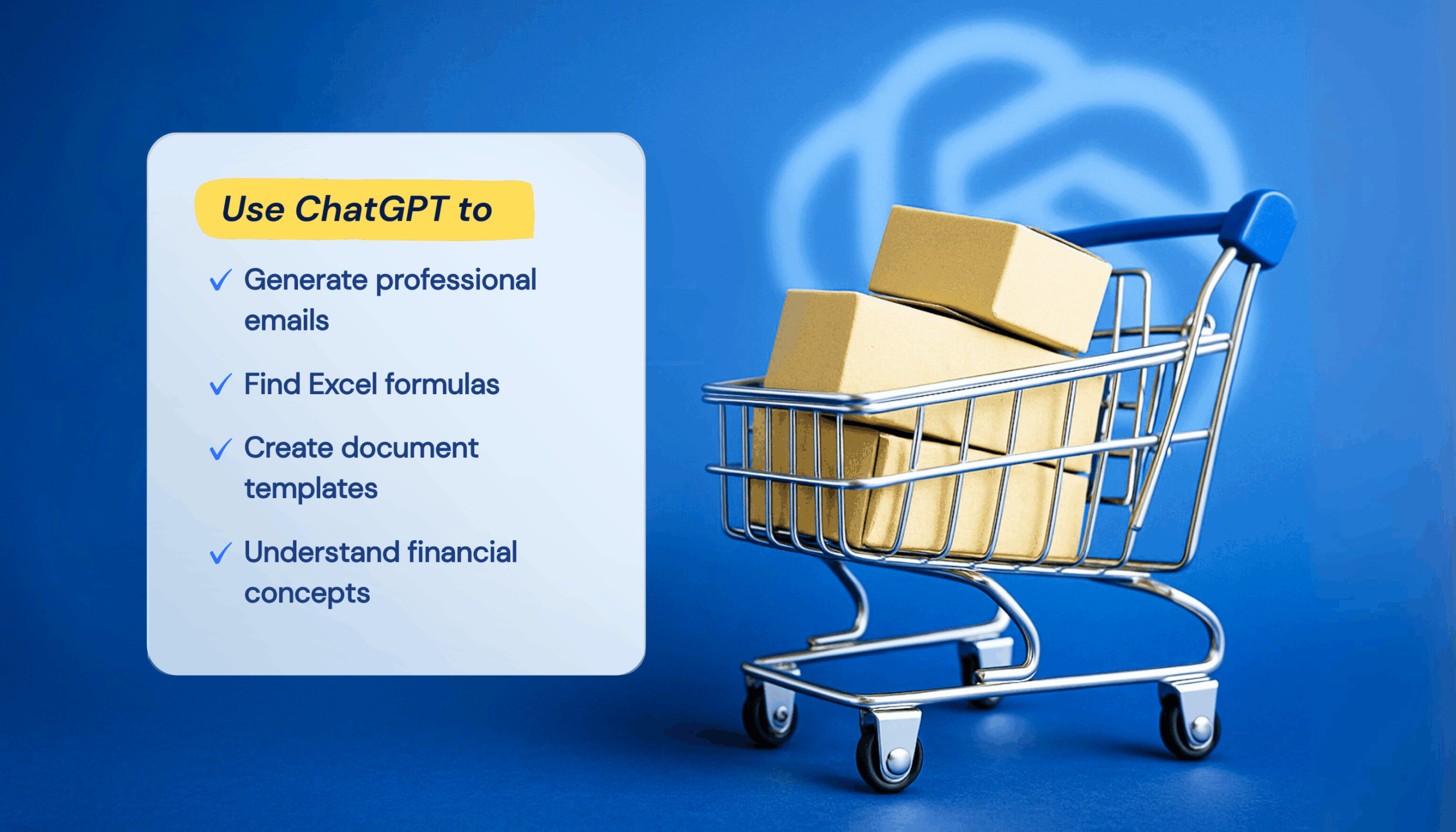
1. Professional Communication
Need to chase a late payment, but don’t want to sound aggressive? ChatGPT helps you strike the right tone, which is especially useful for overdue invoice reminders or back-and-forth with clients about billing issues. You get professional, well-worded responses without spending 15 minutes rewriting the same sentence.
2. Clarifying Financial Concepts
ChatGPT does a solid job explaining things like cash vs accrual accounting, VAT thresholds, or how to read a profit and loss statement. It can break down accounting AI terminology into something non-accountants (or busy founders) can actually use.
3. Template and Formula Generation
Need an Excel formula to calculate gross margin? Or a template for a basic invoice? ChatGPT can generate these in seconds, eliminating the search time and guesswork that normally comes with formatting financial docs from scratch.
These features don’t replace an accounting system but save time, primarily for early-stage founders doing things solo.
Where ChatGPT Falls Short: The Limitations of AI Bookkeeping
While AI tools like ChatGPT can assist with explaining accounting terms or generating email templates, they simply weren’t built to handle real-time financial data. And when it comes to AI for ecommerce accounting, that’s a dealbreaker.
In other words, ChatGPT can process information, but it can’t connect to your Shopify store.
Testing ChatGPT on a Real Shopify Accounting Task
To see how far accounting ChatGPT can really go, we gave it a practical challenge: calculate daily profit from a typical Shopify store scenario, just a straight-up accounting task with real numbers.
Here’s what we gave it:
- $1,500 in total sales.
- $600 in cost of goods sold (COGS).
- 30 transactions with Shopify’s standard 2.9% + 30¢ fee.
- 10% marketing agency fee.
- No discounts, returns, or unusual edge cases.
Prompt: Based on the following inputs, calculate net profit: $1,500 in sales, $600 COGS, 30 Shopify transactions with 2.9% + $0.30 fees, and a 10% marketing fee.
ChatGPT’s answer (within seconds):
- Shopify fees: $52.50
- Marketing fees: $150.00
- Total costs: $802.50
- Net profit: $697.50
The math was spot-on. But the workflow was not even close to automated.
Before opening ChatGPT, we had to manually pull those numbers from Shopify reports, COGS tracking sheets, and marketing dashboards. The process took about 15 minutes, which is longer than punching it into a calculator.
And that’s the real issue.
Even when AI bookkeeping tools like ChatGPT get the answer right, you still have to gather and organize the data yourself. There’s no syncing, real-time tracking, or audit trail, just a fancy information processor.
That limitation turns into a dealbreaker as your store grows. Manually entering numbers into prompts is time-consuming, error-prone, leads to inconsistent reporting, and doesn’t scale.
ChatGPT vs. a Dedicated Shopify Accounting Integration
Even when ChatGPT for Shopify accounting gets the answer right, you still have to gather and organize the data yourself. There’s no syncing, real-time tracking, or audit trail. This limitation turns into a dealbreaker as your store grows.
Here’s a direct comparison of how a Shopify accounting integration tool handles key tasks versus using ChatGPT for ecommerce accounting.
| Task | ChatGPT | Dedicated Integration (e.g., MyWorks for QuickBooks) |
| Pull order data from Shopify. | Manual copy-paste. | Real-time sync. |
| Track COGS automatically. | Needs manual input. | Pulls from product catalog. |
| Calculate fees (Shopify, marketing, shipping). | If you input them. | Auto-calculated. |
| Log transaction in QuickBooks. | Can’t do it. | Instant sync. |
| Create an audit trail for your accountant. | None. | Built-in logs and documentation. |
| Scales with your store. | Time cost increases. | Set it and forget it. |
And these gaps only get wider as your store scales.
For example:
You just ran a three-day flash sale and want to know your true profit from the promo. ChatGPT might help you estimate if you manually gather discount data, ad spend, shipping fees, returns, and processing costs. However, a synced system already knows what discount codes were used, what items were returned, and what fees applied. You’d get instant, accurate reports.
The takeaway is that ChatGPT can support you with providing digestible information. But Shopify accounting isn’t a lack of information problem, it’s a syncing problem.
And that’s something only a purpose-built tool can solve.
ChatGPT Accounting Integration: Possible But Problematic
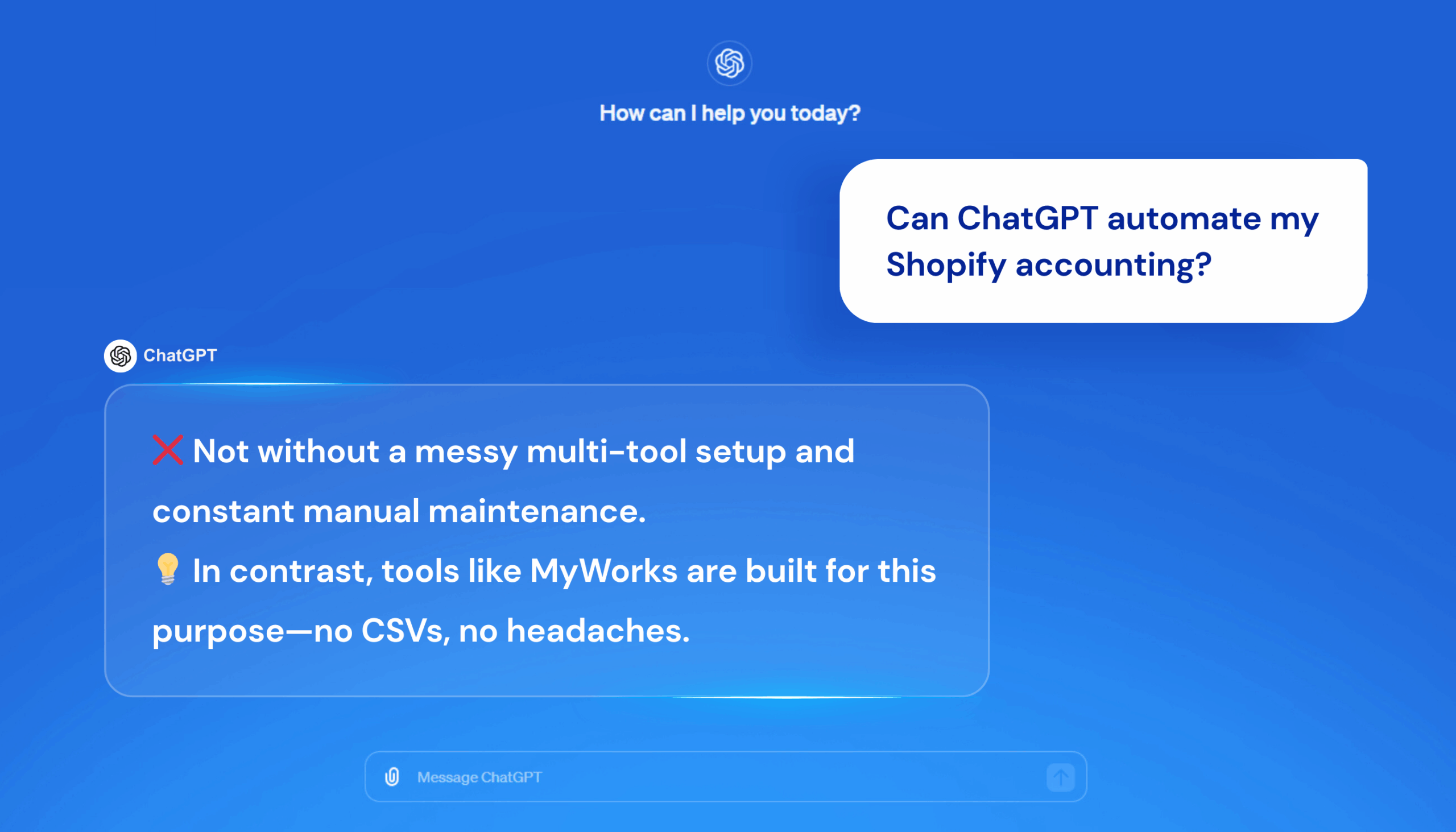
Some sellers try to bridge the gap with third-party connectors like Zapier, custom GPTs, and manual API setups. And technically, yes, you can make something that looks like accounting automation. But the cost isn’t just financial: it’s complexity, fragility, and constant upkeep.
Let’s break it down.
1. Setup Complexity
Hooking up ChatGPT or any GPT-based system to your financial stack isn’t plug-and-play. You’ll need to write prompt chains, configure connectors like Zapier or Make.com, and manually define logic for fees, refunds, COGS, and taxes. That means spreadsheets, not automation.
2. Security and Privacy Risks
Syncing financial data through third-party platforms introduces serious risk. You’re exposing sensitive transaction data, customer info, and business performance metrics through tools not built for secure accounting workflows.
3. Maintenance and Breakage
Ecommerce logic changes fast. Shopify updates its API, your fees change, your marketing agency switches models. Every time something shifts, your custom setup can break. And when it does? You’re the one stuck fixing it.
4. Time and Cost Tradeoff
Even if everything works, maintaining DIY accounting automation costs time pulling reports, debugging sync issues, and checking for missing data. For most growing stores, that’s time better spent elsewhere.
Resource: see how AI automation is actually helping and shaping Shopify accounting (and how to keep up!).
That’s why many Shopify sellers skip the DIY route entirely and turn to tools like MyWorks, which offer real-time data sync and error-free bookkeeping.
Why Purpose-Built Shopify Accounting Integration Tools Like MyWorks Work Better
When it comes to syncing financial data between Shopify and your accounting system, platforms like MyWorks Sync are built to do exactly that. Instead of trying to force ChatGPT into something it was never designed for, MyWorks handles the edge cases that ecommerce sellers actually deal with:
- Partial and full refunds.
- Multi-currency reconciliation.
- Payment processor fees.
- Inventory and COGS tracking
- Sales tax logic across multiple regions
It’s accounting automation designed for how real Shopify stores operate. So, instead of spending hours building and debugging prompts or trying to duct-tape integrations together, you get a setup that’s accurate and will continue to be accurate as your business grows.
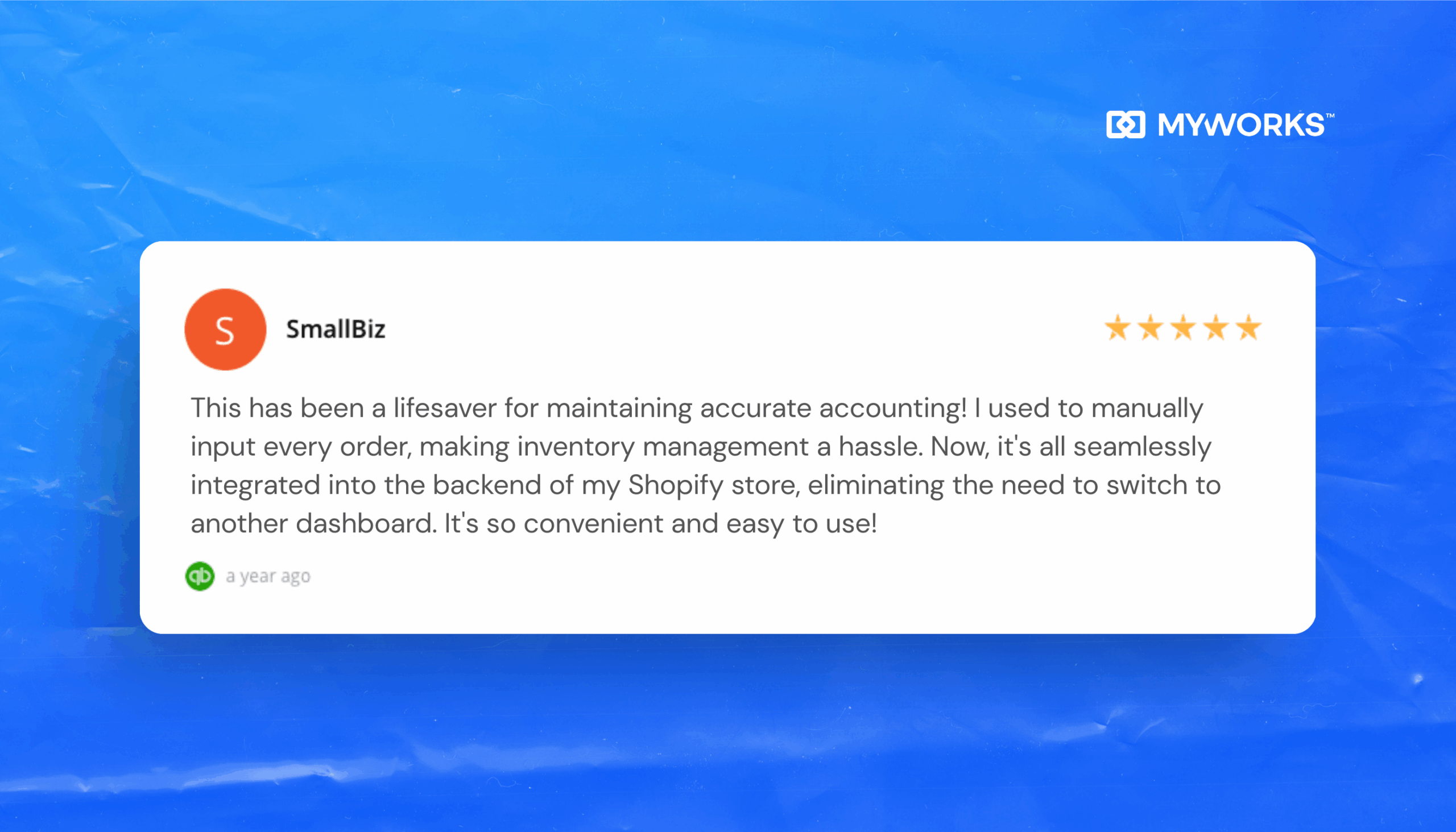
The Practical Reality and a Smarter Strategy
If you’re running a growing Shopify store, the last thing you need is more complexity. Manual prompt chaining, testing ChatGPT outputs, and back-and-forth formatting might technically work, but they eat up hours you could be spending on inventory, marketing, or sales.
When you automate your accounting with the right tool, your entire workflow changes:
- You stop chasing spreadsheets.
- You stop stressing about syncing issues.
- You start trusting your numbers again.
It’s the difference between wrestling with your books every week and knowing they’re always up to date. That’s why the smartest sellers don’t pick between AI and automation; they use both strategically.
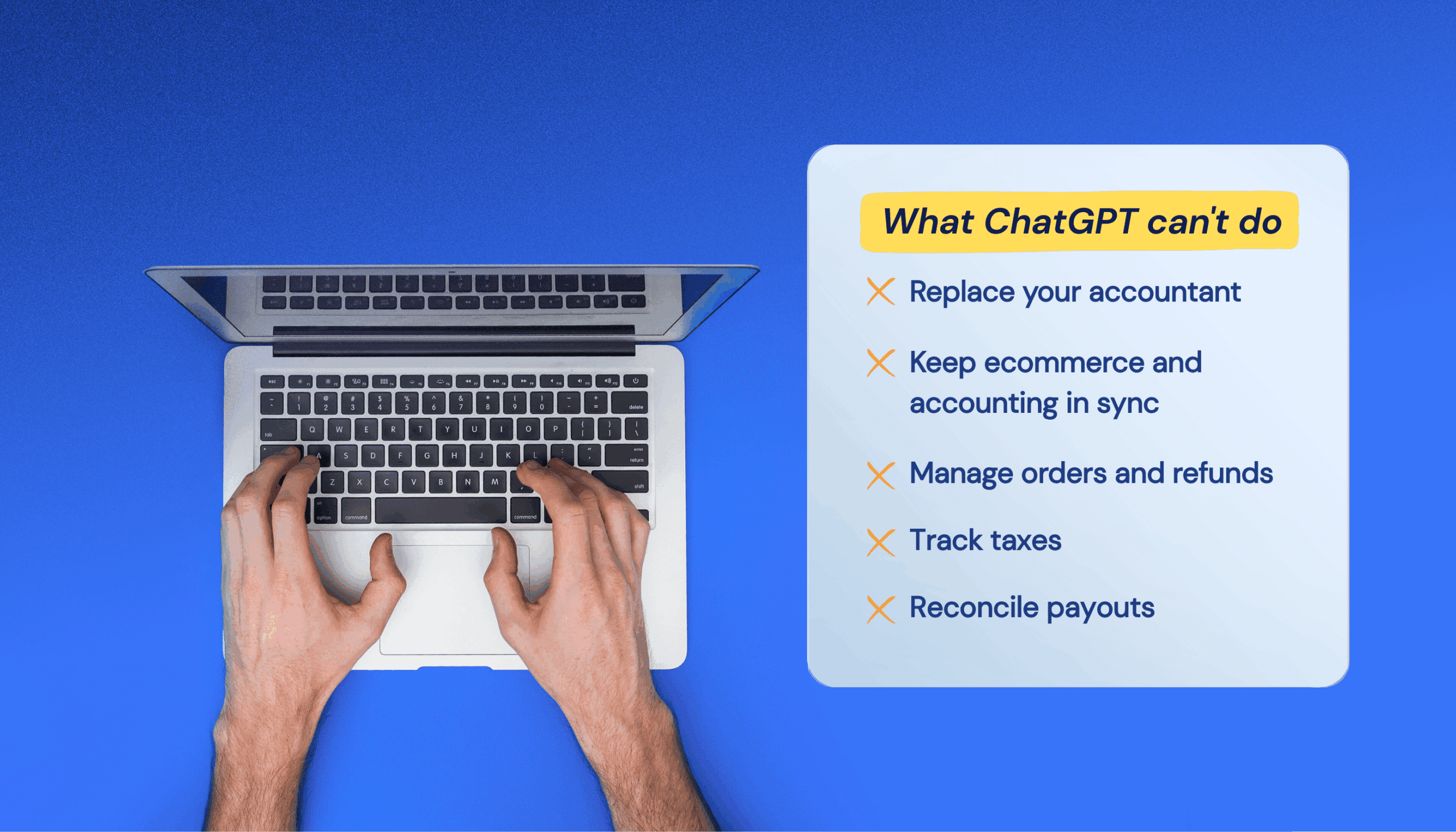
ChatGPT is great for quick tasks: summarizing receipts, drafting emails to your accountant, or exploring new financial questions. But for the heavy lifting, syncing orders, managing refunds, tracking taxes, and reconciling payouts, Shopify sellers choose tools like MyWorks.
Ready to Take the Guesswork Out of Shopify Accounting?
If you’re running a growing Shopify store, the last thing you need is more complexity. Manual prompt chaining, testing ChatGPT outputs, and back-and-forth formatting might technically work, but they eat up hours you could be spending on inventory, marketing, or sales. That’s why the smartest sellers choose to automate Shopify finances with the right tools.
When you automate your accounting with the right tool, your entire workflow changes: you stop chasing spreadsheets, stop stressing about syncing issues, and start trusting your numbers again.
It’s the difference between wrestling with your books every week and knowing they’re always up to date. That’s why the smartest sellers don’t pick between AI and automation; they use both strategically.
ChatGPT is great for quick tasks, such as summarizing receipts, drafting emails to your accountant, or exploring new financial questions. However, purpose-built tools are best for the heavy lifting, such as syncing orders, managing refunds, tracking taxes, reconciling payouts, and bookkeeping for Shopify stores.
Ultimately, ChatGPT can support your accounting—especially if you use the Ecommerce Accounting GPT. It’s the only AI tool designed to answer ecommerce accounting questions. And when it comes to fully automating your books, MyWorks steps in.
See how it works or explore pricing to get started.
FAQs About ChatGPT and Shopify Accounting
1. Can ChatGPT Do My Accounting?
Not entirely. ChatGPT can help explain accounting concepts, generate Excel formulas, and draft emails to your bookkeeper, but it can’t track transactions, reconcile accounts, or handle tax compliance. For accurate ecommerce accounting, tools like MyWorks automate the heavy lifting.
2. Which ChatGPT Version Is Best for Accounting?
ChatGPT Plus is faster and more consistent, but no version can replace proper accounting automation tools. Regardless of tier, ChatGPT can’t sync financial data from Shopify or generate audit-ready reports independently.
3. Can ChatGPT Replace Accountants?
No. While ChatGPT can assist with routine tasks, accountants provide strategic insight, regulatory expertise, and business context that AI can’t replicate. Think of ChatGPT as a helpful sidekick, not a substitute for professional advice.
4. Can ChatGPT Make a Balance Sheet?
Only if you give it clean, structured data, ChatGPT can format a balance sheet or explain how one works, but it can’t pull data from Shopify, track changes, or ensure accuracy. Automated accounting tools handle this seamlessly.
5. Does ChatGPT Work with Shopify?
Technically, yes. With enough Zapier workflows, API setup, or custom GPTs. But it’s high-effort and fragile. That’s why most Shopify sellers use integration platforms like MyWorks, which sync order data, payouts, and refunds automatically.
6. What Does MyWorks Do for Shopify Accounting?
MyWorks automates your ecommerce accounting by syncing Shopify with platforms like QuickBooks and Xero in real time. It pulls in orders, fees, taxes, shipping, and payouts, saving hours of manual work and ensuring your books are always accurate and up to date.