
Financial workflows can silently drain your resources. Growing ecommerce stores lose up to 25 hours every week to manual data entry alone: hours spent exporting CSVs, tracking fees, updating inventory, and reconciling payment deposits that never seem to match. For Shopify and WooCommerce merchants, this creates a constant cycle of catch-up that slows growth and increases the risk of errors.

The good news is that financial process automation removes that burden. This guide breaks down how to streamline your financial workflows; what’s slowing you down, how automation solves it, and why tools like MyWorks make accurate books possible without turning bookkeeping into a second job.
What Financial Workflows Mean for Ecommerce Stores
Financial workflows are the recurring processes that move transaction data between your sales channels and your accounting system. For Shopify and WooCommerce merchants using QuickBooks or Xero, four workflows run in the background all day, every day:
- Invoicing: recording every sales transaction accurately in your accounting system, like customer details, line items, shipping, and tax amounts.
- Payment reconciliation: matching bank deposits to sales records. If your sales report shows $5,000 but Shopify deposits $4,823, you need to account for the $177 in processing fees so your books stay accurate.
- Inventory management: updating stock levels and Cost of Goods Sold (COGS). Every time an item sells, both your store and your accounting software need to update immediately to prevent overselling and keep profit reporting reliable.
- Tax Tracking: recording the correct sales tax for each order based on where your customer is located. Online stores must navigate multi-state economic nexus rules, not just a single regional tax rate.
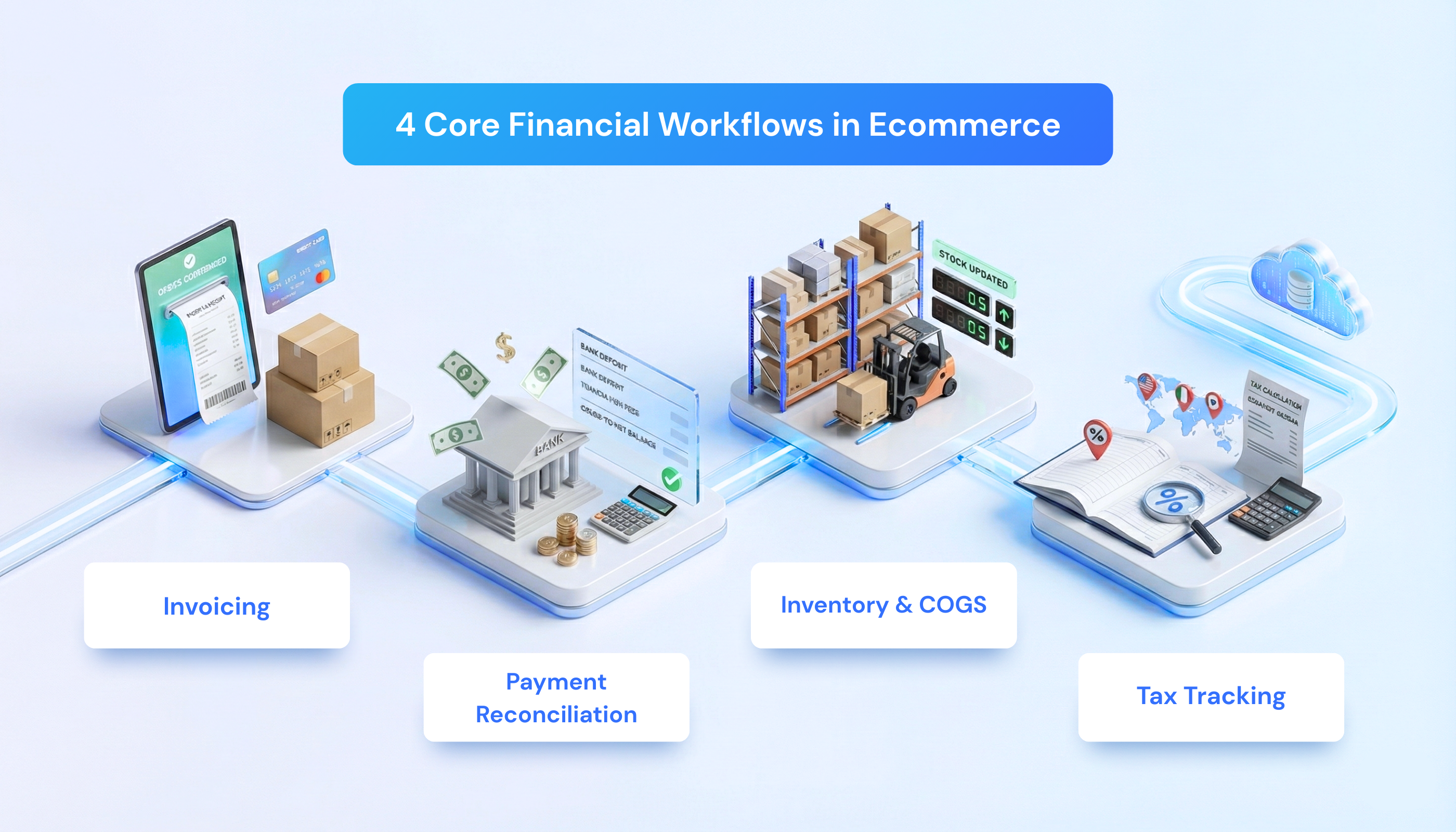
All four workflows fire the moment a sale happens. If your systems aren’t connected, you’re stuck manually copying, pasting, and double-checking numbers to keep everything aligned.
Manual Financial Workflows vs. Automated Workflows
Manually managing these workflows forces you into constant catch-up mode. Every copy-paste introduces risk, and small errors compound quickly across hundreds of orders. Automation removes that burden, eliminating human error so you can finally trust your numbers.
TL;DR: Manual vs. Financial Process Automation Comparison
| Workflow | The Manual Way | With Automation |
| Invoicing | Manual data entry (~6 hours/day wasted) | Instant automatic sync (0 minutes spent) |
| Payment Reconciliation | Hunting for fee discrepancies to balance books | Deposits match automatically with fees recorded |
| Inventory Management | Manual updates lead to overselling and wrong COGS | Real-time two-way sync ensures accurate stock |
| Tax Tracking | Guesswork when handling unsynced refunds | Line-by-line sync matches your tax filings |
The Deep Dive: How Automation Transforms Your Workflows
Here’s what your day looks like when you stop manually bridging gaps between your store and your accounting system.
1. Invoicing
Manually: you export a CSV from Shopify at the end of the day and manually create sales receipts in QuickBooks, entering data line by line. A batch of 50 orders takes about 90 minutes; processing 200 orders daily means 6 hours of data entry every single day.
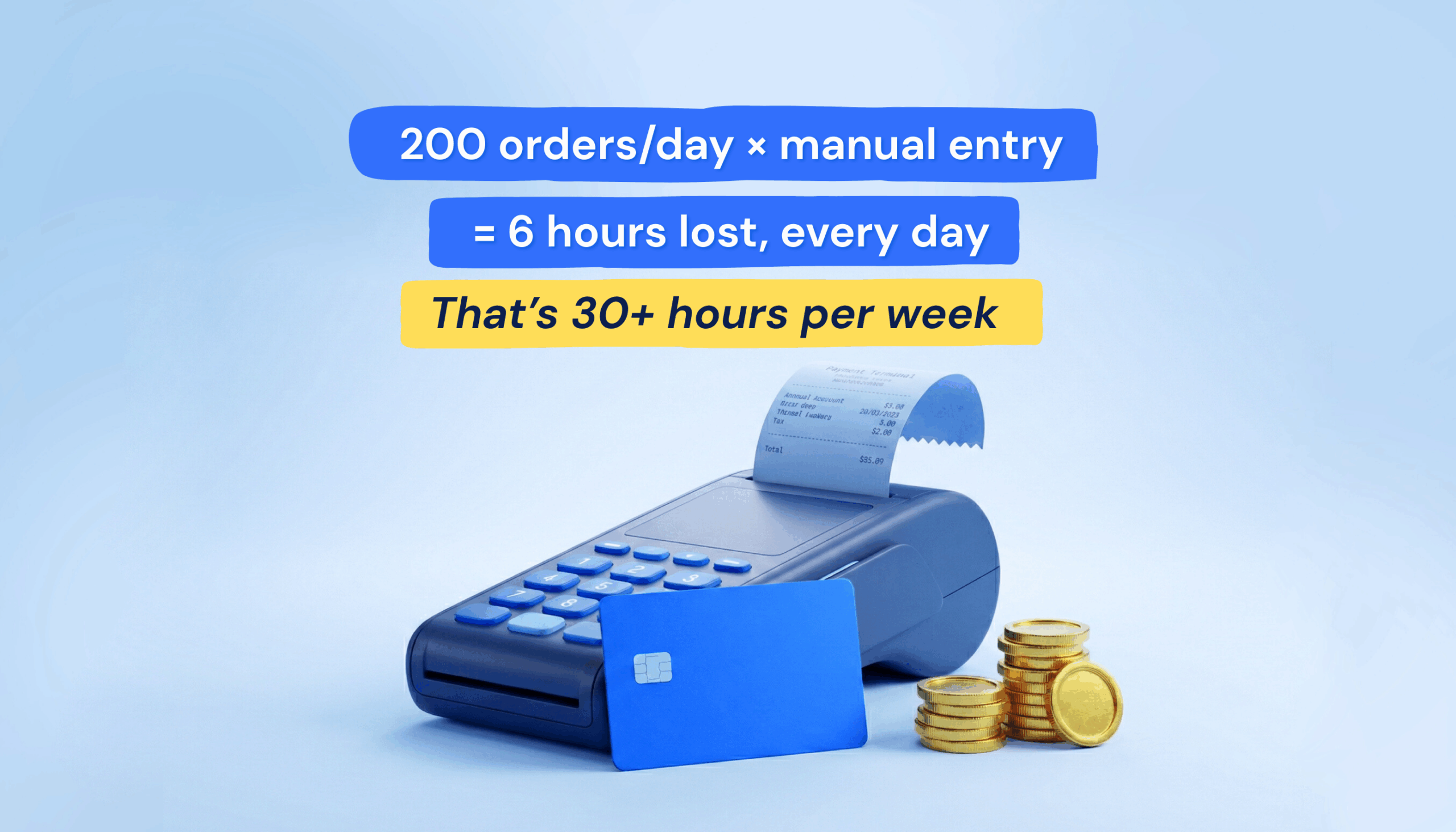
With automation: orders sync automatically within minutes of the sale. Customer details, items, taxes, and fees are all correctly mapped in QuickBooks, with zero manual input required.
Related: AI Workflow Automation for Smarter Bookkeeping
2. Payment Reconciliation
Manually: you try to match a $4,823 bank deposit to $5,000 in sales, digging through dates and hidden fees. Multi-channel sellers often spend 10–15 hours weekly resolving these discrepancies across PayPal, Stripe, and other gateways.
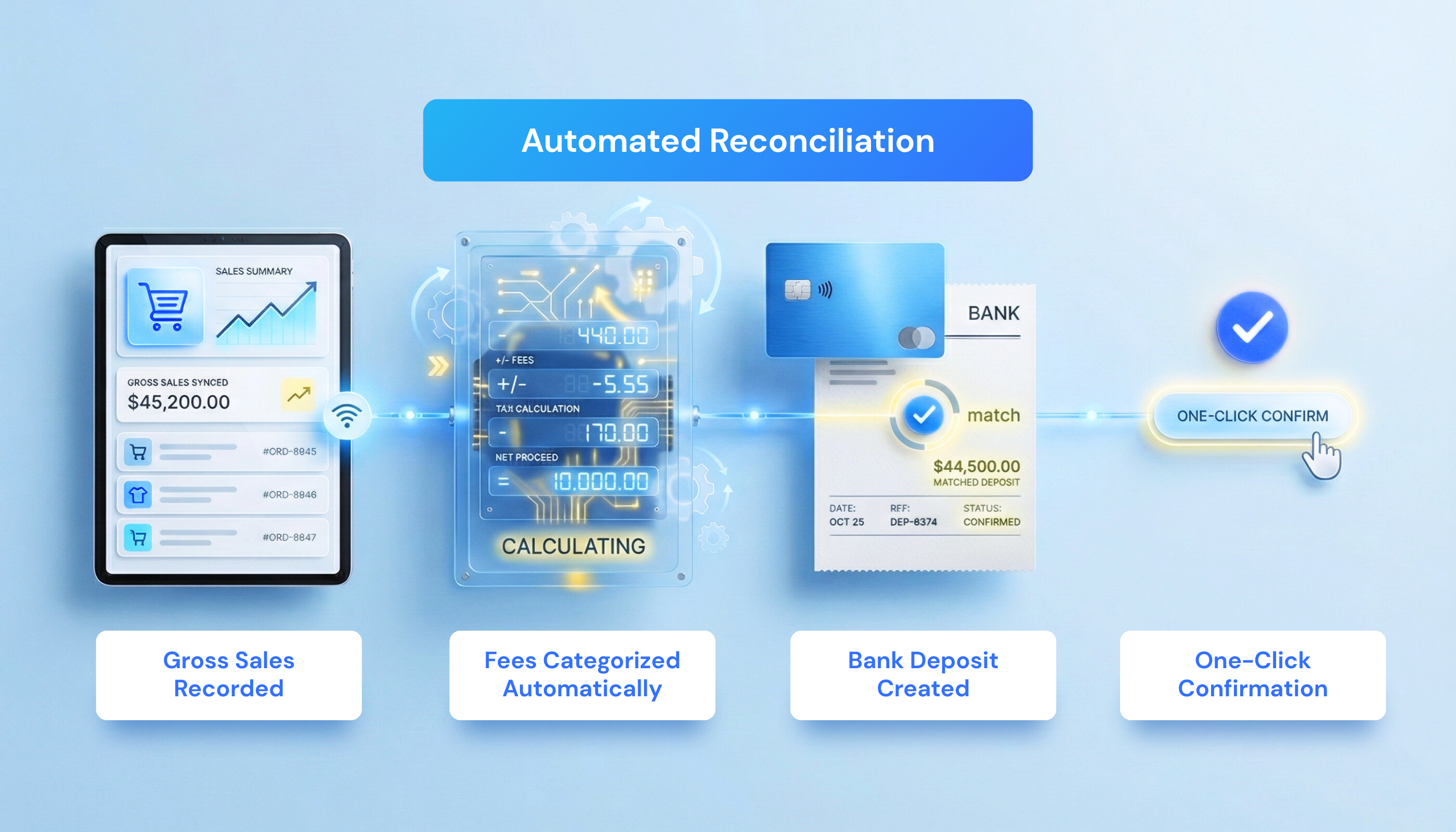
With automation: the system does the math for you. It creates bank deposits in your books that match your statement exactly, handling the gross-to-net math for you by categorizing fees automatically. You simply confirm the match, and you’re done.
3. Inventory Management
Manually: a product sells, and you manually update the quantity in QuickBooks. Forgetting even once results in incorrect COGS and inaccurate profit reports, yet many small businesses still rely on these outdated methods.
With automation: stock levels update instantly. Whether you sell that last hoodie on Shopify or adjust stock in QuickBooks, the update happens instantly on both platforms. Your inventory remains up-to-date, preventing overselling even during flash sales and ensuring accurate profit reports.
Related: Inventory Management Techniques for Ecommerce Businesses
4. Tax Tracking
Manually: refunds, discounts, and fee adjustments often don’t sync correctly, leading to discrepancies between what you collected and what QuickBooks shows. At filing time, you can’t verify what you actually owe.
With automation: your books match your filings to the penny. Tax is synced line-by-line for every sale. Even complicated partial refunds are adjusted automatically, so you never have to guess what you owe the state.
| Quick win: if you are deciding where to start, automate payment reconciliation first. It typically saves 5+ hours weekly and requires minimal setup. |
How MyWorks Streamlines Your Financial Workflows
If automation is the solution, why isn’t every ecommerce brand already using it? Because many automation tools create as many problems as they solve. Some act as rigid “black box” connectors, others rely on custom Zapier setups that break easily and cost a fortune to maintain.

MyWorks takes a different approach. It provides a direct integration between Shopify or WooCommerce and QuickBooks or Xero, built specifically for ecommerce accounting. As a Built for Shopify app, an Intuit Platinum Partner, and the official QuickBooks Sync for WooCommerce, it works inside your existing dashboards, not as a separate system bolted on top.
Here’s how MyWorks streamlines financial workflows more reliably than generic automation tools:
1. It Eliminates the Need for Expensive Custom Builds
Most merchants who try to automate their accounting end up hitting the same roadblocks:
- Native integrations that don’t sync correctly.
- Manual workarounds for fees, refunds, and tax.
- Custom automation tools that require constant maintenance.
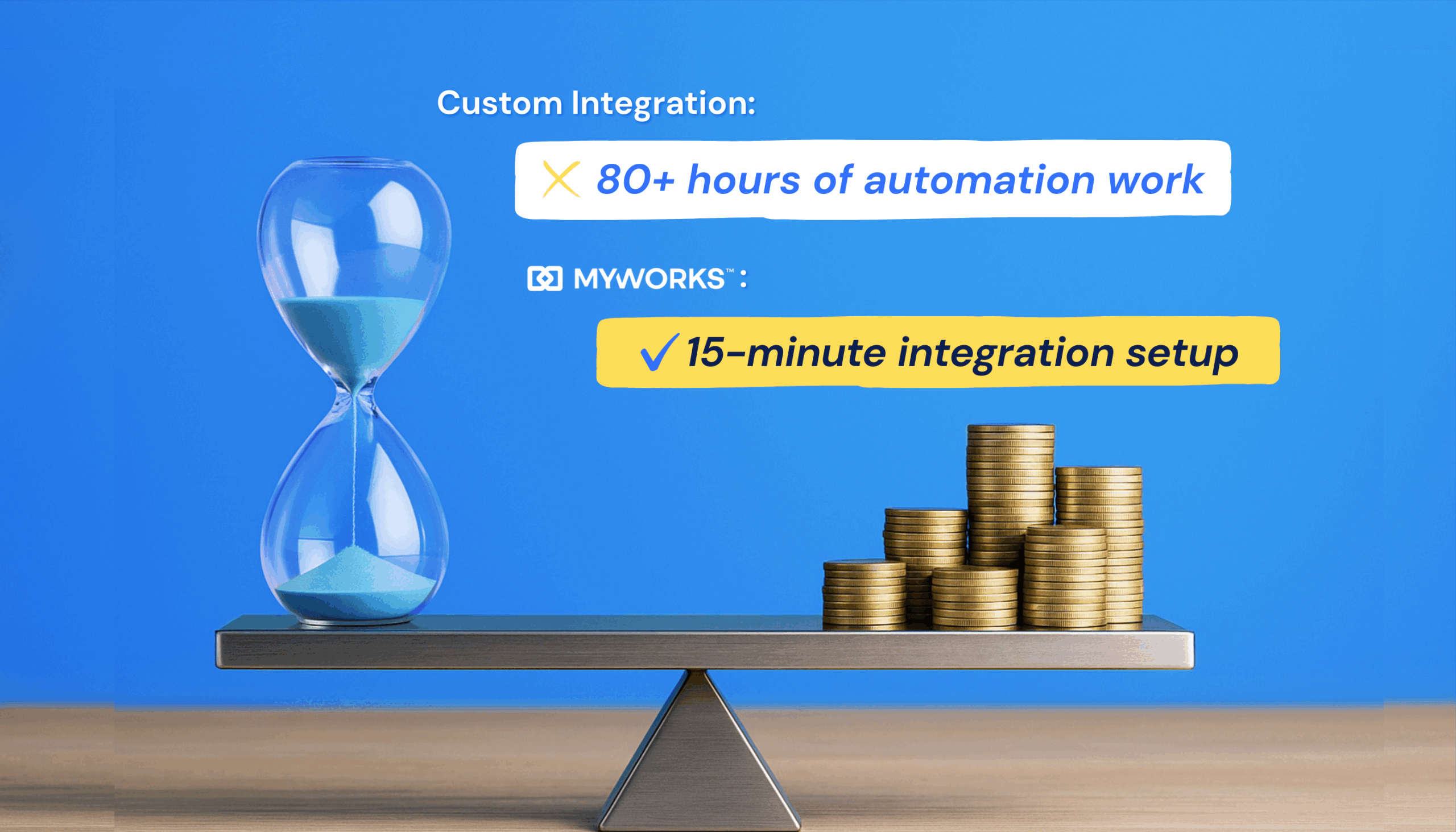
Katherine from Maze, a Canadian Shopify agency, experienced this firsthand. Her team spent 80+ hours building a Make integration that cost clients $1,000/month to maintain. MyWorks replaced that entire setup in 15 minutes with simple, predictable pricing:
Solving Ecommerce Accounting Chaos (Lessons from a Shopify Agency) | Maze x MyWorks
2. It Automates All Four Core Financial Workflows
MyWorks runs quietly in the background, syncing data in real time and keeping your books accurate without intervention.
- Invoicing: syncs orders within minutes with the correct payment terms, customer, and taxes.
- Reconciliation: auto-matches payouts with bank deposit entries, including fee categorization.
- Inventory: two-way sync keeps COGS and stock levels accurate across both systems.
- Tax: line-by-line syncing handles tax, refunds, and adjustments automatically.
This gives your business a single, reliable source of truth.
3. It Offers the Flexibility Most Tools Don’t
Many accounting integrations force every order into a single format, which works well for basic retail but not for B2B, wholesale, or high-volume stores.
MyWorks lets you route transactions intelligently using rules and order tags:
- Individual Sales Receipts: Ideal for immediate retail payments (dropshipping, POD, DTC sales).
- Daily Summaries: Best for high-volume merchants who want clean, consolidated books.
- Invoices: Perfect for wholesale customers with payment terms (Net 15, Net 30, etc.).
- Estimates: Useful for pre-orders or approvals before payment.
- Hybrid of the above, based on Shopify order tags: perfect for those selling both DTC and B2B.
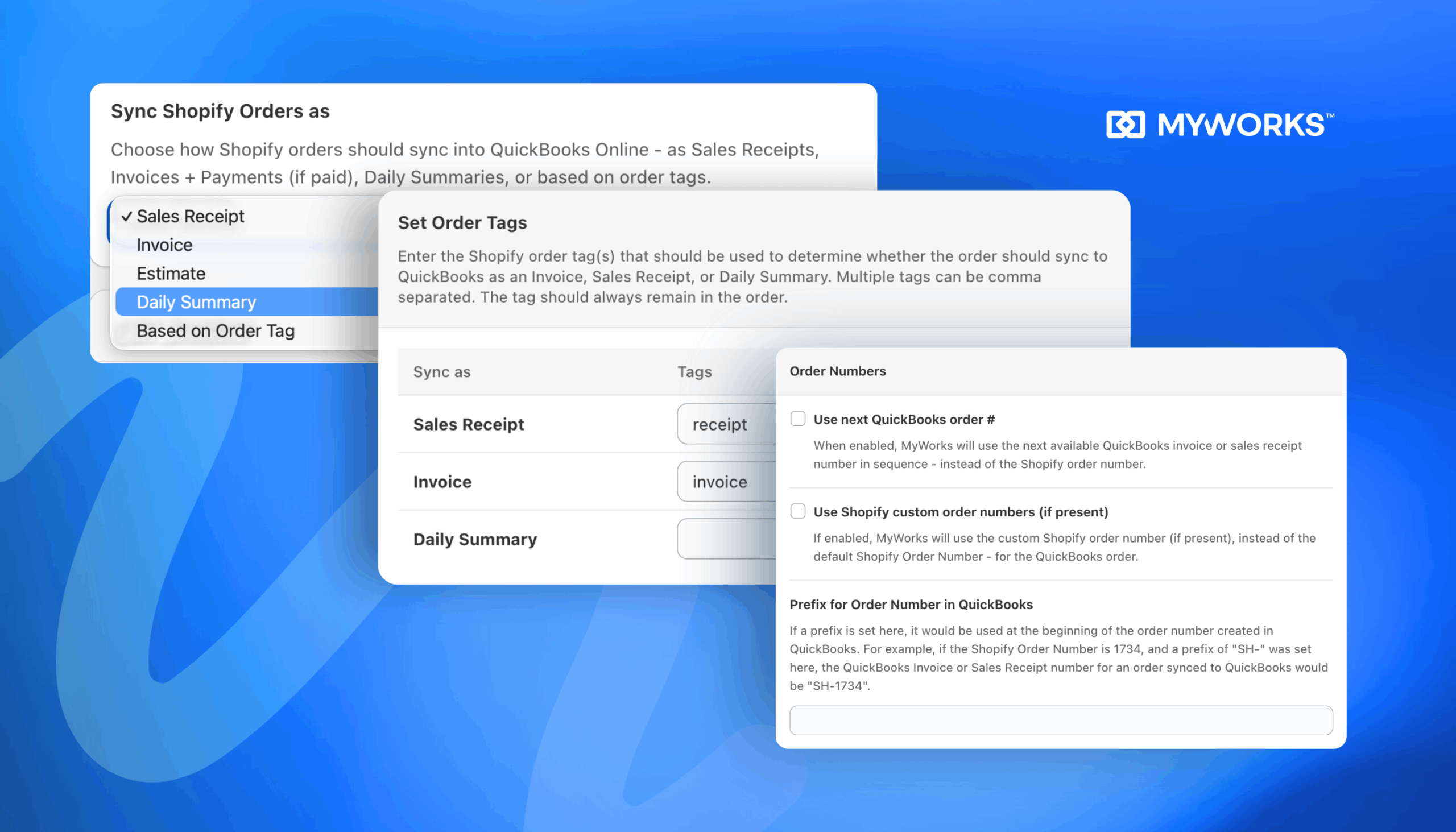
This flexibility ensures your accounting reflects how your business actually operates, not how a generic connector thinks it should.
MyWorks: The Smartest Way to Streamline Your Financial Workflows
You didn’t build an ecommerce business to spend hours on manual reconciliations, stock updates, and tax adjustments. Automation handles invoicing, reconciliation, inventory syncing, and tax tracking for you so you can focus on growth instead of bookkeeping
Get started with MyWorks today and bridge the gap between your store and your accounting software.
FAQs About Streamlining Ecommerce Financial Workflows
Get quick answers to the most common questions merchants have when automating their financial workflows with MyWorks.
1. What Are the Main Financial Workflows in Ecommerce?
The four core financial workflows are invoicing, payment reconciliation, inventory management, and tax tracking. Each workflow generates data that needs to be transferred from your store into QuickBooks or Xero, and for some items like inventory and invoice payments — back to your store. With MyWorks, this process occurs automatically, eliminating the need for manual entry.
2. How Much Time Does Financial Workflow Automation Actually Save?
Businesses report saving 10-25 hours per week after automating their accounting workflows. When you are processing 200+ daily orders, automation eliminates hours of repetitive work.
3. Does Automation Work for Businesses That Sell Both Retail and Wholesale?
Yes, as long as your integration supports hybrid syncing. MyWorks lets you route orders intelligently:
- Retail orders can sync as daily summaries, and
- Wholesale orders can sync as individual invoices with payment terms.
This provides speed for high-volume retail and accuracy for B2B accounts, a feature that most ecommerce accounting software tools lack.
4. How Do You Streamline a Financial Process?
Start by identifying repetitive manual tasks like data entry, reconciliation, or inventory updates. The fastest way to streamline financial workflows is to automate the connection between your sales platform and accounting software. MyWorks syncs Shopify or WooCommerce directly with QuickBooks or Xero, handling the entire process automatically so you no longer act as the go-between.