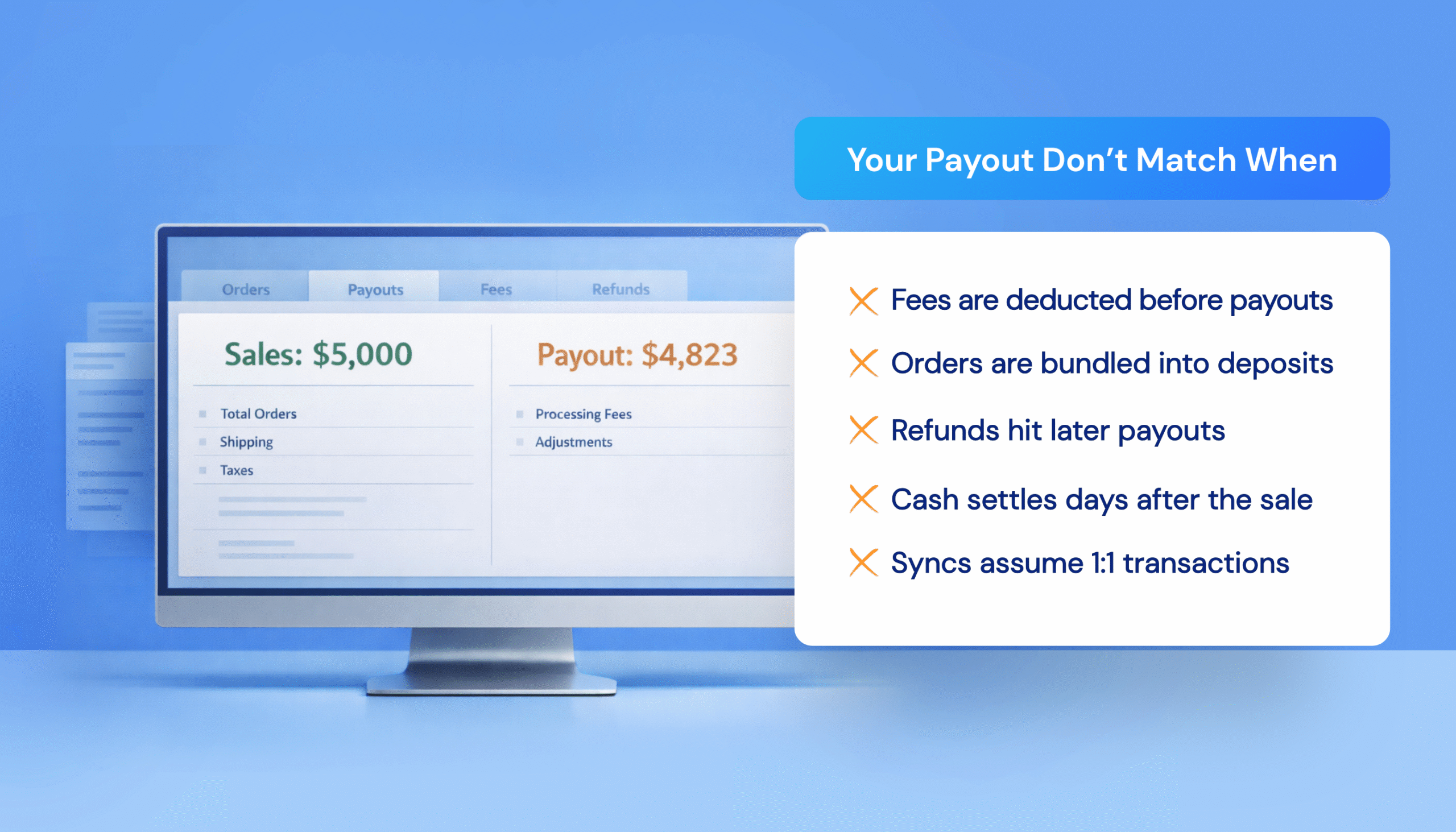
Ecommerce payment reconciliation breaks down the moment your bank deposit doesn’t match your sales. Your gateway says $4,823. QuickBooks says $5,000. That gap usually isn’t a mystery: it’s processing fees, batched settlements, refunds, chargebacks, and timing differences that many sync setups don’t handle cleanly.
This isn’t an operator problem. It’s a systems problem.
Payment processors like Shopify Payments, Stripe, and PayPal bundle multiple orders into single payouts, deduct fees before transferring funds, and settle on their own schedules. Without a sync that reflects those mechanics, you’re forced into manual payment gateway reconciliation, line by line, deposit by deposit.
But once you understand where reconciliation breaks down, fixing it becomes easy. This guide outlines what your workflow should capture, ensuring that QuickBooks, Shopify, and your bank deposits are finally in sync.
TL;DR: Why Payouts Don’t Match QuickBooks
| Problem | What’s Happening | What It Causes |
|---|---|---|
| Fees not recorded | Gateways deposit net amounts, but QuickBooks shows gross sales. | Permanent gaps between revenue and deposits. |
| Batched payouts | Dozens of orders bundled into a single deposit. | No clear 1:1 matching between sales and bank transactions. |
| Timing differences | Sales recorded today, deposits arrive days later. | Revenue and cash don’t align by period. |
| Refunds outside the payout windows | Refunds are deducted from future payouts or debited directly. | Negative deposits and unexplained withdrawals. |
| Wrong account mapping | All processors feed into one QuickBooks account. | No visibility into gateway-specific cash flow. |
Why Ecommerce Payment Reconciliation is Different
Traditional bookkeeping assumes a simple flow: make a sale, receive payment, record both. Ecommerce doesn’t work that way.
When a customer buys a $100 product from your Shopify store, the sale is recorded instantly. But the money doesn’t hit your bank for 2–5 business days. When it does, it’s often $96.80 after processing fees, and that deposit is bundled with yesterday’s orders, last week’s refund, and a dispute fee from a chargeback you forgot about.
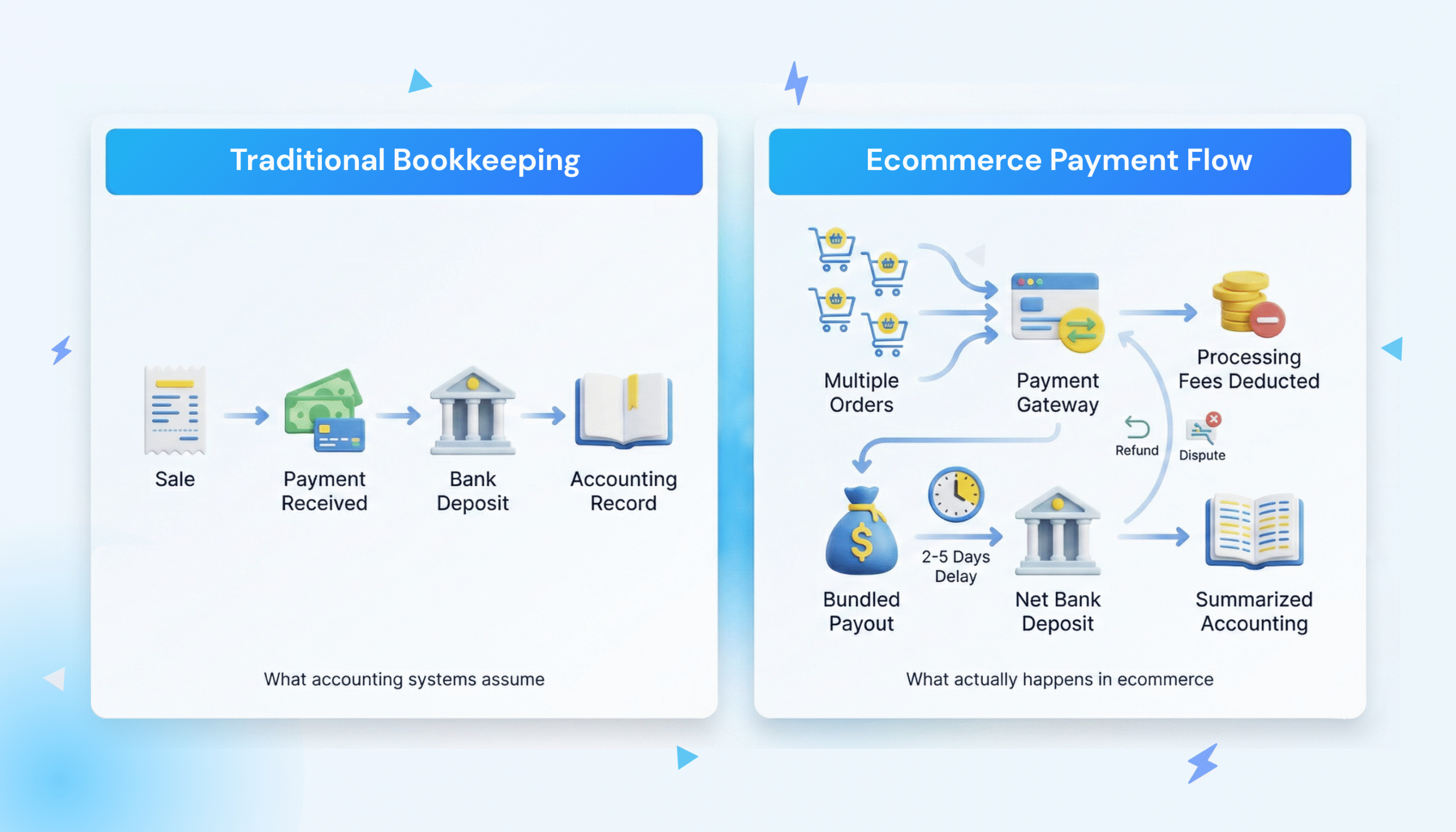
One deposit. Dozens of transactions. Fees already deducted. No clear way to match it all in QuickBooks.
Settlement timing compounds the issue. Shopify Payments typically takes 2–5 business days. Stripe often settles in two. PayPal holds funds until you initiate a transfer. A December 28th sale might not reach your bank until January, landing in a different reporting period and tax year.
These mechanics create predictable failure points, ones most generic ecommerce payment reconciliation software tools ignore completely. Here’s where things usually break.
The Five Failure Points That Cause Payout Mismatches
If your bank deposits don’t match what you see in QuickBooks, one of these issues is almost always the cause.
1. Fees Not Recorded as Expenses
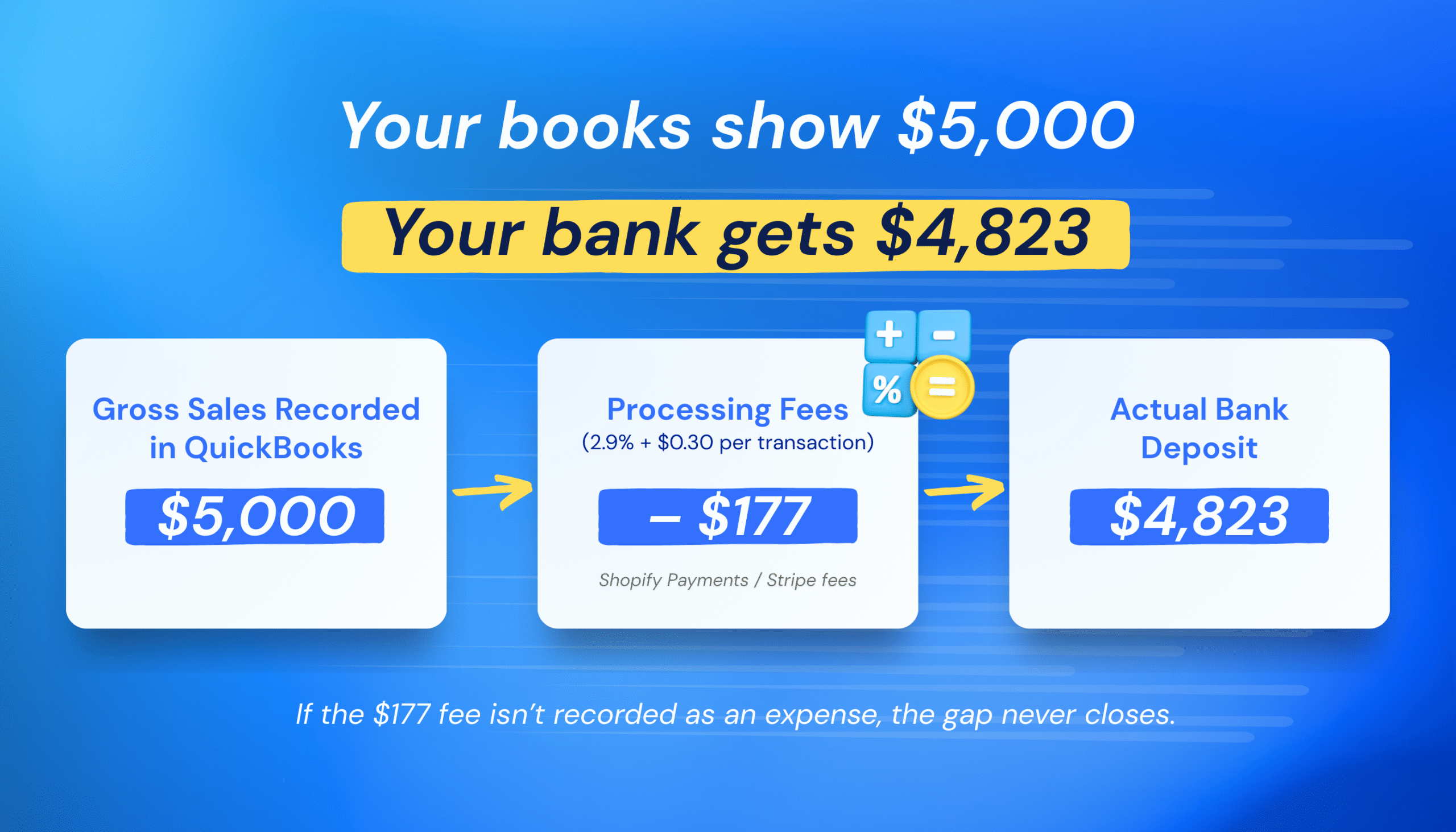
Most integrations sync gross sales into QuickBooks but ignore processing fees. You see $5,000 in revenue, but your bank deposit is $4,823. Without the $177 in fees recorded as an expense, your books show a permanent discrepancy.
For example, Shopify Payments and Stripe typically charge around 2.9% + $0.30 per transaction. PayPal’s fees are often higher. At scale, that’s hundreds of dollars per month disappearing into reconciliation gaps.
2. Batched Payouts Hide the Details
Your bank shows a single deposit: $4,823. But that deposit represents 47 orders, minus three refunds, processing fees, and a chargeback.
Basic integrations sync each sale individually, but they don’t reflect how those sales were batched and reduced before reaching your bank. So QuickBooks shows $5,000. Your bank shows $4,823. And you’re left hunting for the missing $177.
3. Refunds Fall Outside the Payout Window
A customer buys on Monday. You get paid on Wednesday. They request a refund on Friday.
That refund is deducted from your next payout, or debited directly from your bank if the balance isn’t large enough. If your integration doesn’t capture this, you end up with unexplained withdrawals and negative deposits. Chargebacks make this worse, often adding flat dispute fees on top.
4. Wrong Account Mapping
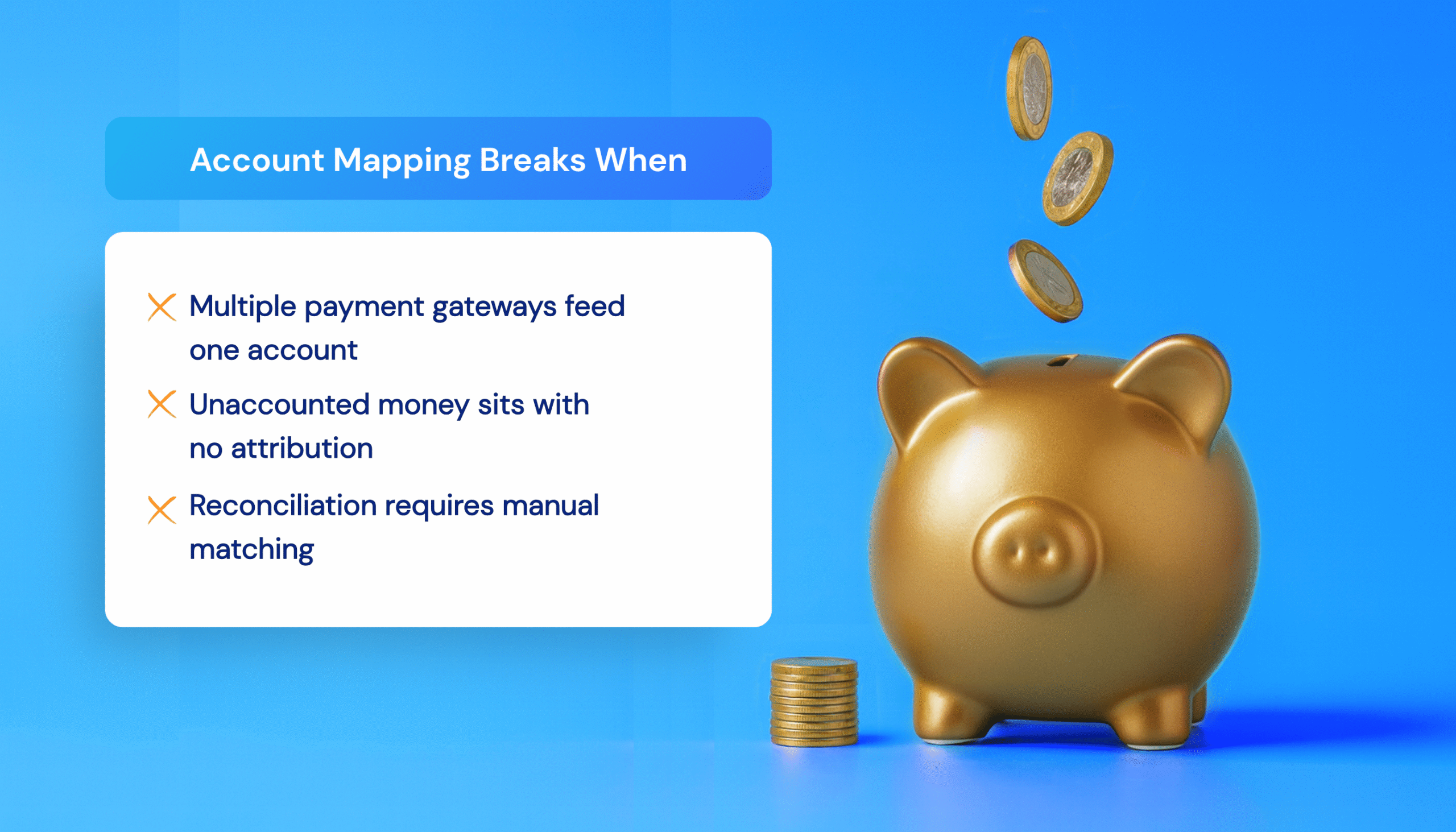
If you use Shopify Payments, PayPal, and Stripe, each one deposits money on its own schedule. In QuickBooks, each should have its own clearing account.
When all processors dump into the same account, you lose visibility. You might see $12,000 sitting there with no way to tell which gateway it came from. Reconciling means manually pulling reports from each platform and matching them, which requires hours of work every month.
5. Transactions Dated Incorrectly
Some integrations date transactions when they sync, not when the sale occurred. Now your December revenue is understated, January is overstated, and your deposits don’t line up with transaction dates. Month-end close becomes a minefield.
| Quick check: export this month’s payouts from each gateway. Add up the fees and compare them to what’s recorded in QuickBooks. If there’s a gap, you’ve found your first reconciliation leak. |
What Accurate Ecommerce Payment Reconciliation Requires
Before evaluating any integration, including MyWorks, here’s what proper payment gateway reconciliation needs to deliver:
- Real fee syncing: every transaction fee flows into QuickBooks automatically as an expense.
- Payout-matched deposits: orders are grouped into deposits that match your gateway’s actual payout amounts.
- Gateway-specific clearing accounts: each processor maps to its own account so you can track costs and cash flow separately.
- Correct transaction dating: sales are dated when they occur. Payouts are dated when they settle.
- Refund and dispute handling: adjustments sync correctly, including negative payouts and direct bank debits.
If your current setup doesn’t check every box, you’re still reconciling manually—just with more data.
How MyWorks Solves Ecommerce Payment Reconciliation
MyWorks is built specifically for the reconciliation challenges Shopify and WooCommerce stores face with QuickBooks. As a Built for Shopify app and Intuit Platinum Partner, it lives inside your dashboard and handles the mechanics that cause mismatches. Here’s how it delivers on each requirement:
Automated Fee and Payout Syncing
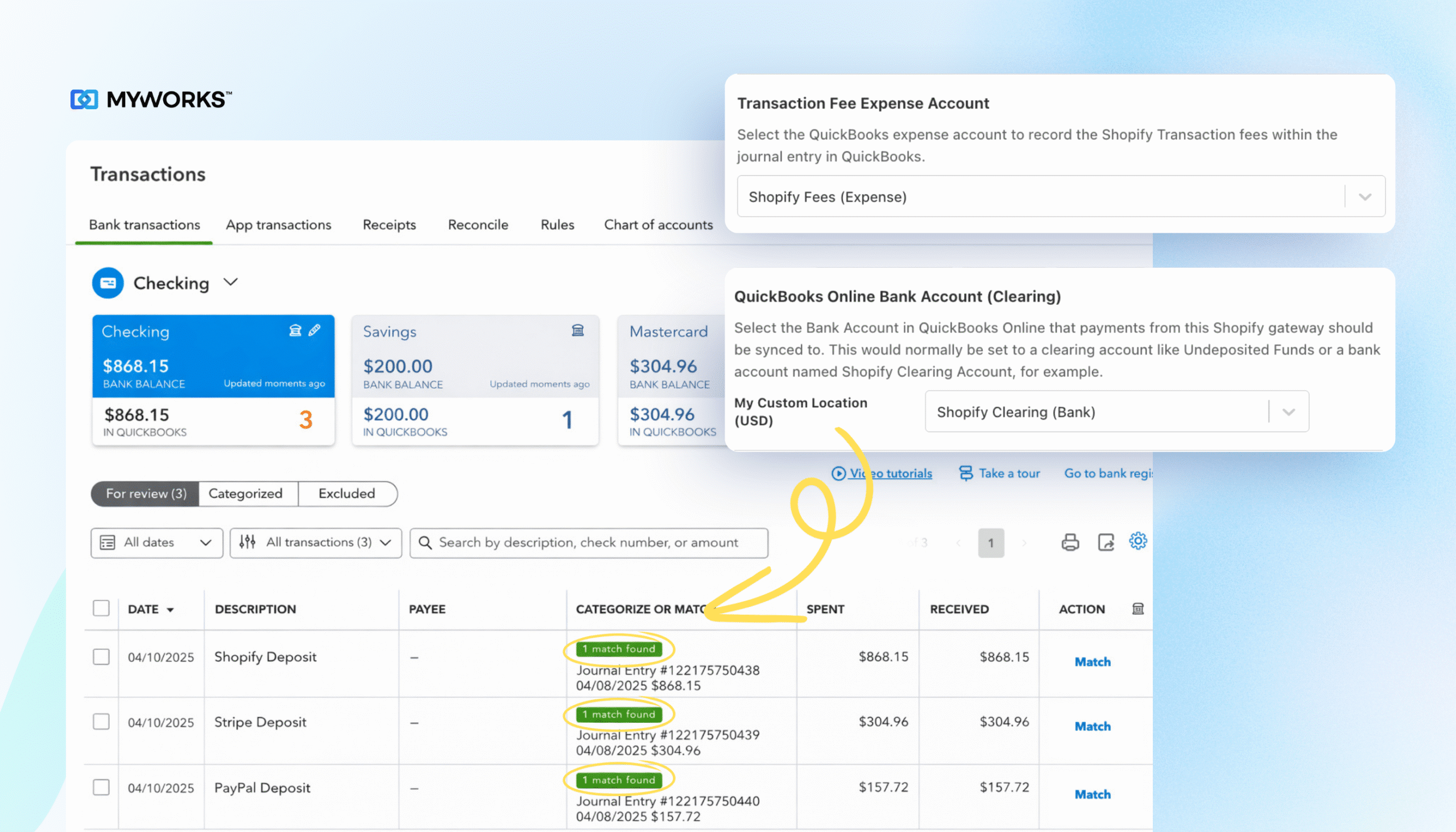
MyWorks records fees from every order automatically. You choose how they appear in QuickBooks: attached to each sale, bundled into deposits, or tracked as separate expenses.
When Shopify deposits money into your bank, MyWorks creates a matching record in QuickBooks with the exact amount. Fees are already accounted for, whether it’s a standard payout or a refund-driven withdrawal.
Example: a store using Shopify Payments, Stripe, and PayPal receives three deposits each morning. MyWorks creates three matching entries in QuickBooks, with fees categorized by gateway. When bank reconciliation opens, everything lines up.
Gateway-Specific Account Mapping and Batching
Each processor maps to its own QuickBooks clearing account. Funds are tracked separately from the moment payment is received.
For gateways that batch daily, MyWorks groups the day’s orders, creates a single matching deposit, and includes fees as negative line items. No more thousands sitting in “Undeposited Funds” with no traceability.
Correct Dating and Refund Handling
MyWorks syncs as frequently as every five minutes, dating transactions based on when they actually occurred. Full refunds, partial refunds, future-payout deductions, and direct bank debits all sync automatically.
One merchant describes the difference: “From MyWorks’ perspective, everything is cleanly flowing over. Every payment, every refund, every order, every new customer. And now even tax information as we build a presence in multiple states.”

Read: Earth’s Treasury’s full case study.
Accurate Payout Reconciliation Without Manual Cleanup
You didn’t start your store to spend hours matching deposits line by line. Yet reconciliation becomes a recurring time sink when fees, refunds, and settlements don’t sync correctly.
MyWorks eliminates the guesswork by syncing orders, fees, and payouts exactly as your gateways report them, so what’s in QuickBooks always matches what actually hits your bank.
No more hunting for missing dollars. No more month-end cleanup marathons.
Get started with MyWorks and see what reconciliation looks like when it actually works.
FAQs About Ecommerce Payment Reconciliation
1. What is Ecommerce Payment Reconciliation?
Ecommerce payment reconciliation is the process of matching your sales to actual bank deposits. Because gateways deduct fees, batch orders, and settle on different schedules, accurate reconciliation means accounting for every adjustment so your books reflect what actually hit your bank.
2. What is the Process of Payment Reconciliation?
It involves recording sales, waiting for payouts, matching deposits, accounting for fees, and resolving differences. For ecommerce, this becomes complex due to batching and timing gaps.
3. How Do You Reconcile Customer Payments in QuickBooks?
Each payment processor should use its own clearing account. Sales post there first, then move to your bank account when the payout arrives.
Related: Top 5 Ecommerce Payment Reconciliation Software
4. How Do You Ensure Timely Reconciliation Between Payment Gateway Reports and Internal Records?
The key is automation. The more frequently data syncs, the fewer discrepancies accumulate. With an automatic sync, your QuickBooks records stay current with your gateway reports. MyWorks syncs as often as every 5 minutes, so fees, refunds, and payouts are processed in real-time.
5. Why Don’t My Shopify Payouts Match My QuickBooks Revenue?
Shopify deposits net amounts. If fees and refunds aren’t recorded, QuickBooks will always show a higher number. MyWorks automatically syncs Shopify fees to QuickBooks so your revenue and deposits align.