




Stocky is being discontinued on August 31, 2026. For many Shopify merchants, this is a forced change to the inventory processes they rely on every day. Purchase orders, stock receiving, stocktakes, and reorder planning all need a new home—and years of historical Stocky data need to be protected along the way.
Shopify is moving core inventory management into Shopify Admin and POS to fill the gap. While its native tools will work for some stores, the transition is not a one-for-one migration. Past purchase orders and stocktakes won’t transfer automatically, and Shopify cannot recreate previous purchase orders with their original status, receiving records, or supplier links.
With the deadline approaching, sellers need to preserve their data, test a new workflow, and prepare their teams for the change. This article explains what to do now and how to choose the right Stocky alternative for your store.
TL;DR: Preparing For The Stocky Shutdown
- Stocky shuts down on August 31, 2026, so export your historical data and complete any direct migration before then.
- Shopify’s native tools may work for straightforward purchase orders and inventory management, but they do not recreate historical Stocky records or cover every workflow.
- If you need a more complete Stocky alternative, Stockroom is a free Shopify app for purchase orders, receiving, stocktakes, landed costs, labels, and reordering.
Stocky’s Discontinuation Has Left Online Sellers Scrambling
For sellers who built their purchasing process around Stocky, the prospect of rebuilding familiar routines, and potentially paying considerably more to replace a tool that came with Shopify POS Pro, has caused real concern.
Their reaction on online forums has been blunt:
‘The only way to have something even remotely close to Stocky is to go pay for an ERP according to support staff. Shelling out another $350-1k+/mo minimum, depending on catalog size. I am quite upset about this.”
— Gabe_Stillwater, Shopify Community
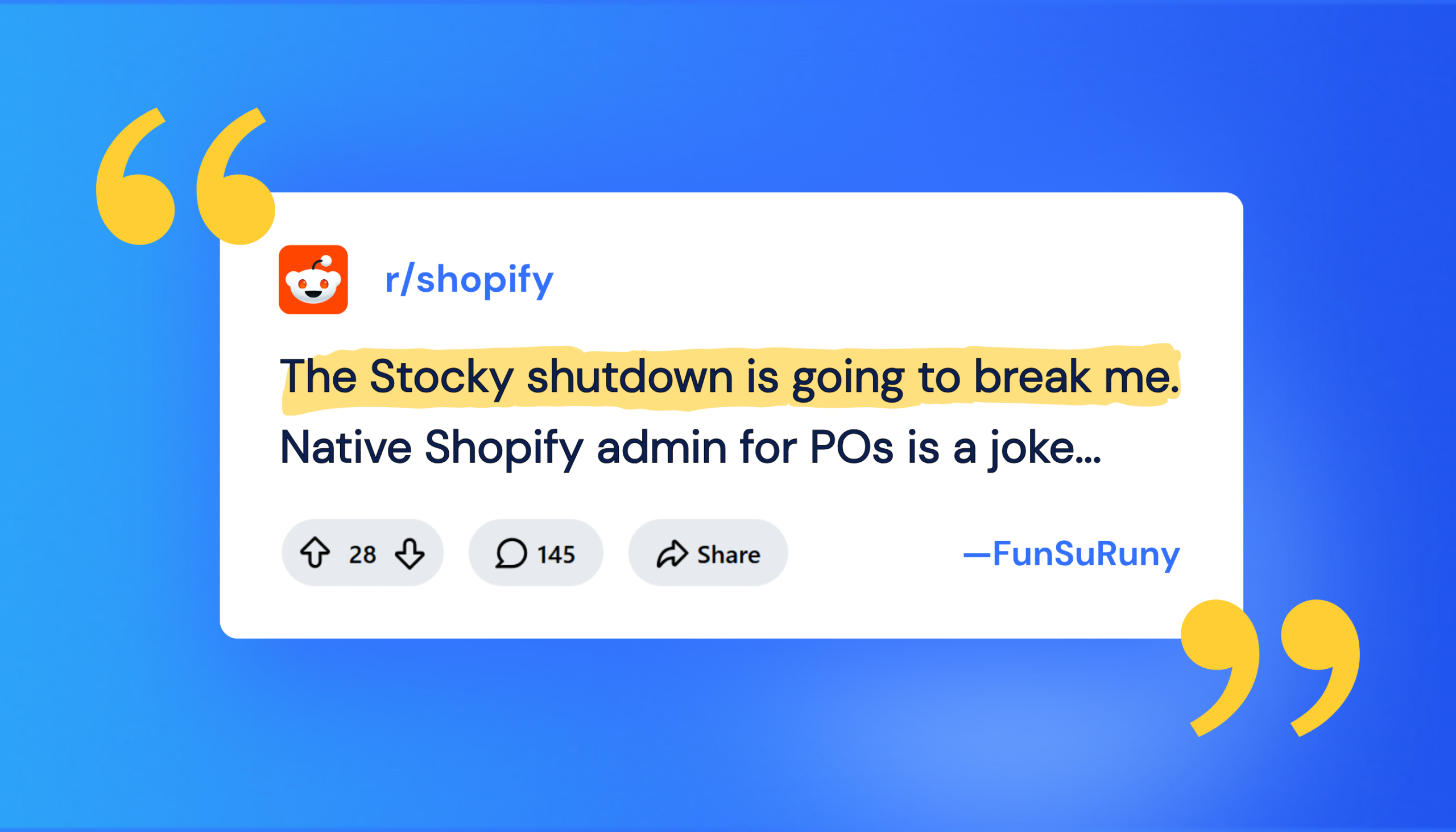
“The Stocky shutdown is going to break me. Native Shopify admin for POs is a joke — no auto-populated costs, no reorder alerts, nothing. Every “alternative” is either a $250+/mo ERP or priced per order. I just need POs and basic forecasting without tripling what I pay in apps.”
The concerns tend to come back to the same three problems: losing historical data, disrupting a familiar workflow and facing the cost and complexity of replacing it with an ERP. Whatever you decide to use next, protecting the records you cannot recreate should come first.
Protect Your Stocky Records Before You Choose an Alternative
Historic Stocky purchase orders and stocktakes will not automatically move into Shopify. Shopify can import product line items into a new draft PO, but it cannot recreate a previous purchase order with its original status, received quantities, or supplier links. Supplier records also cannot be exported from Stocky for direct use in Shopify.
Merchants will retain read-only export access for at least 90 days after the shutdown. However, Stocky will be discontinued and it’s APIs will stop working on August 31, so integrations and direct app-to-app migrations need to happen before then. Exporting your records now is the safer option.
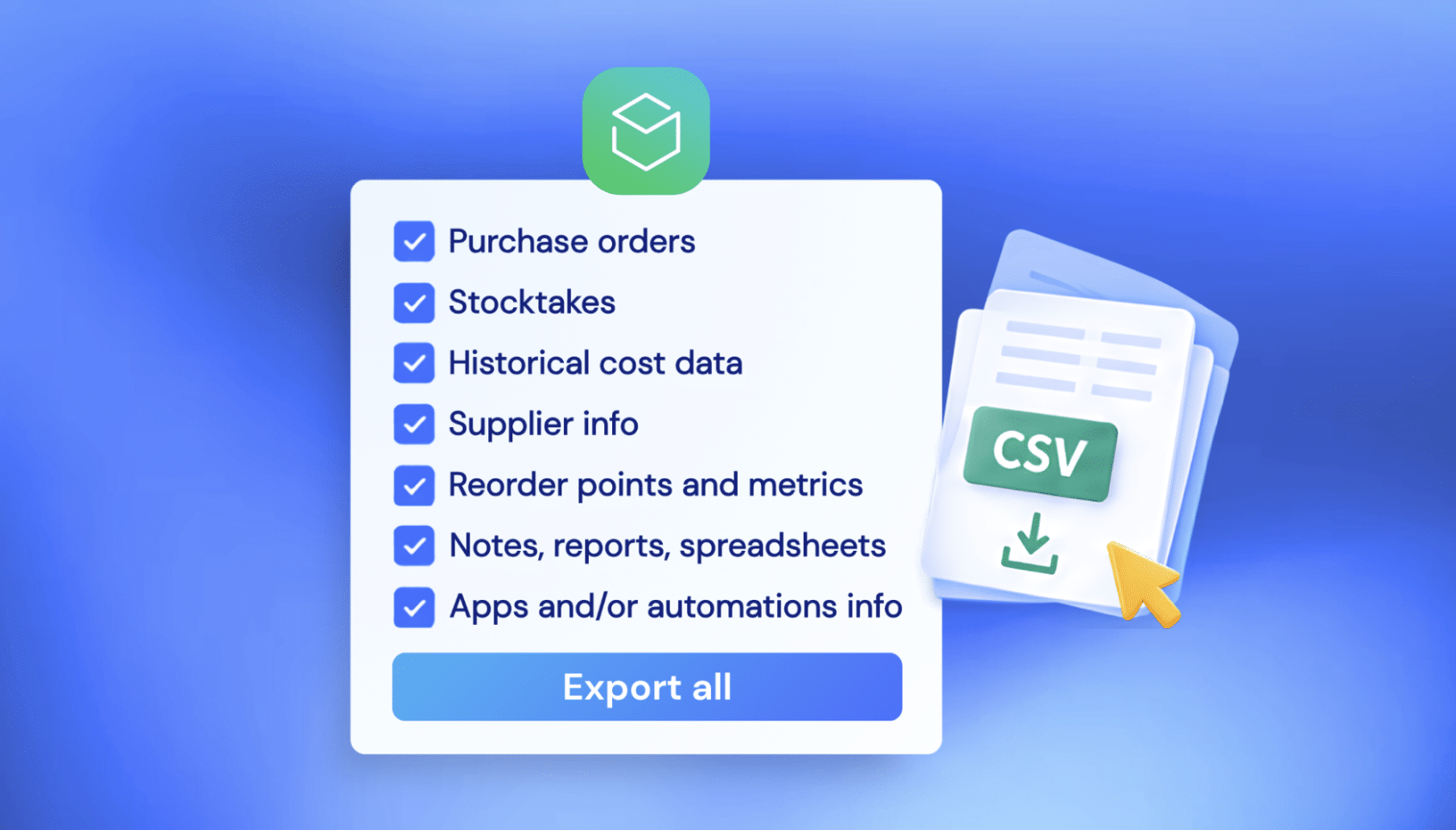
Before August 31, preserve:
- Completed purchase-order reports.
- Stocktake and stock-adjustment history.
- Historical cost data.
- Supplier contacts, terms, currencies, and lead times.
- Reorder points, minimums, maximums, and pack sizes.
- Notes your team will need after the move.
- Any reports or spreadsheets used to make inventory decisions.
- Details of apps or automations that rely on the Stocky API.
Shopify recommends closing in-flight purchase orders before the shutdown and stopping the creation of new Stocky POs beforehand. If an order will still be open at cutover, recreate only its remaining quantities in the system you are moving to.
| Looking for a Stocky alternative?
Stockroom is a free Shopify purchasing and inventory app built for the workflows Stocky users are losing. |
Will Shopify’s Native Tools Work for Your Store?
Shopify’s native inventory tools now cover some of the operational work that Stocky did. You can create purchase orders, maintain supplier records, receive inventory, adjust stock, transfer products between locations, and manage inventory through Shopify POS.
If your team mainly creates straightforward POs, moves stock between locations, and keeps on-hand quantities up to date, Shopify’s native tools may be all you need. There’s no reason to add another app if the new workflow already covers how your store operates.
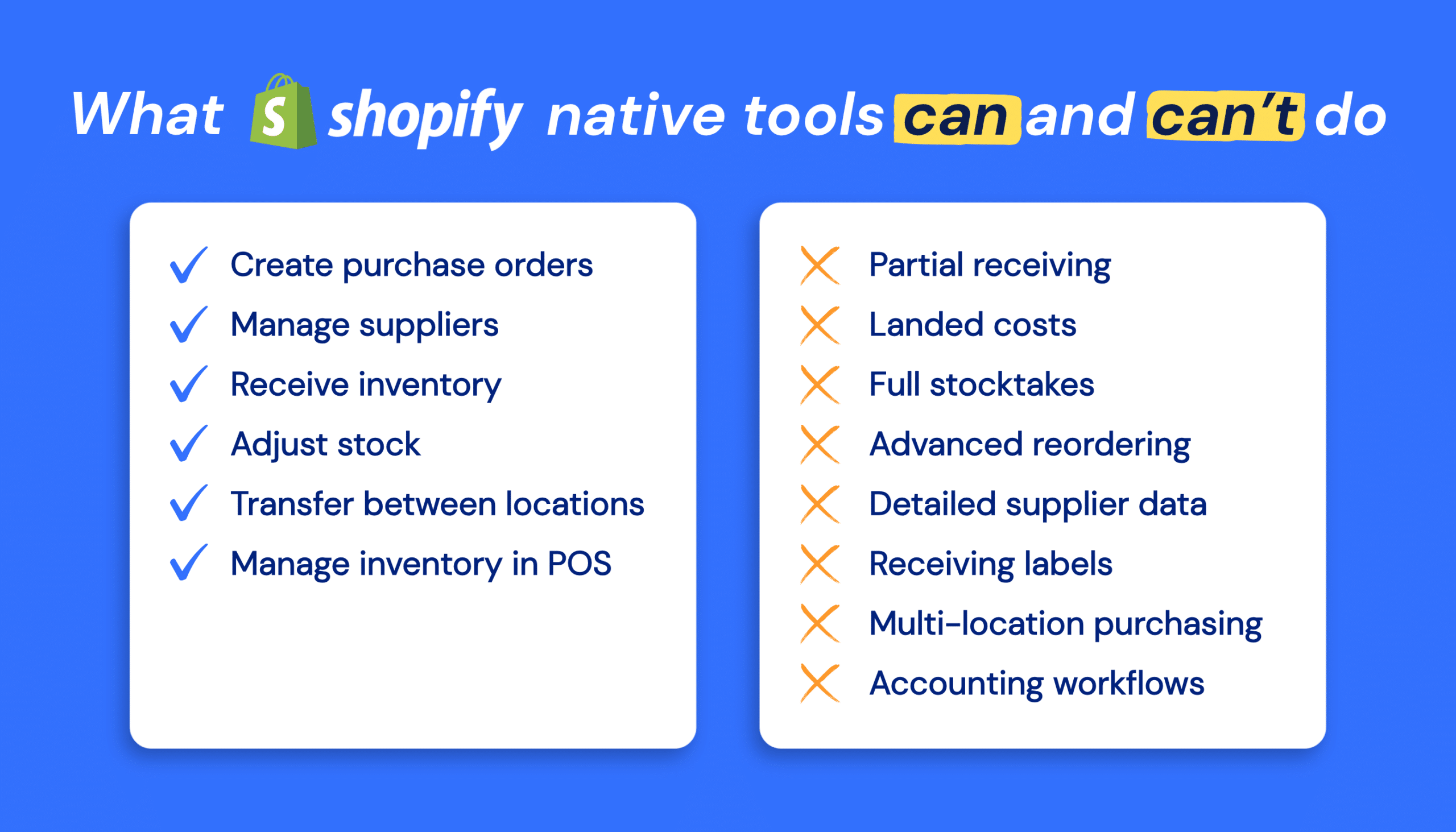
The decision becomes more complicated when Stocky has been part of a wider purchasing and inventory process. Before choosing Shopify’s native tools, test how they handle the work your team does regularly:
- Receiving partial deliveries and recording discrepancies.
- Allocating freight, duty, and other landed costs across received products.
- Running full-location stocktakes or recurring cycle counts.
- Planning reorders using sales history, supplier lead times, and stock levels.
- Maintaining supplier-specific SKUs, case quantities, minimum orders, and lead times.
- Printing labels as part of the receiving process.
- Managing purchasing across multiple retail or warehouse locations.
- Connecting inventory activity with your accounting process.
Shopify supports parts of these workflows, but some require reports, metafields, CSV files, Sidekick, or additional apps.
When Shopify’s Native Tools Aren’t Enough
If testing Shopify’s native tools reveals issues, the next option is a third-party inventory app. The challenge is finding one that replaces the Stocky workflows you used without adding the cost and complexity of a much larger inventory or ERP system.
Some apps solve only one part of the problem, while others are built for operations far more complex than the average Shopify store needs. That is the middle ground we wanted Stockroom to provide.
Introducing Stockroom: Replace Stocky Without Moving to a Heavyweight ERP
Our expert team at MyWorks decided not to wait around for Shopify. Fueled by both our frustration with Stocky’s shortcomings and our users’ requests for a robust way to handle POs with Shopify, we built our own solution: Stockroom.
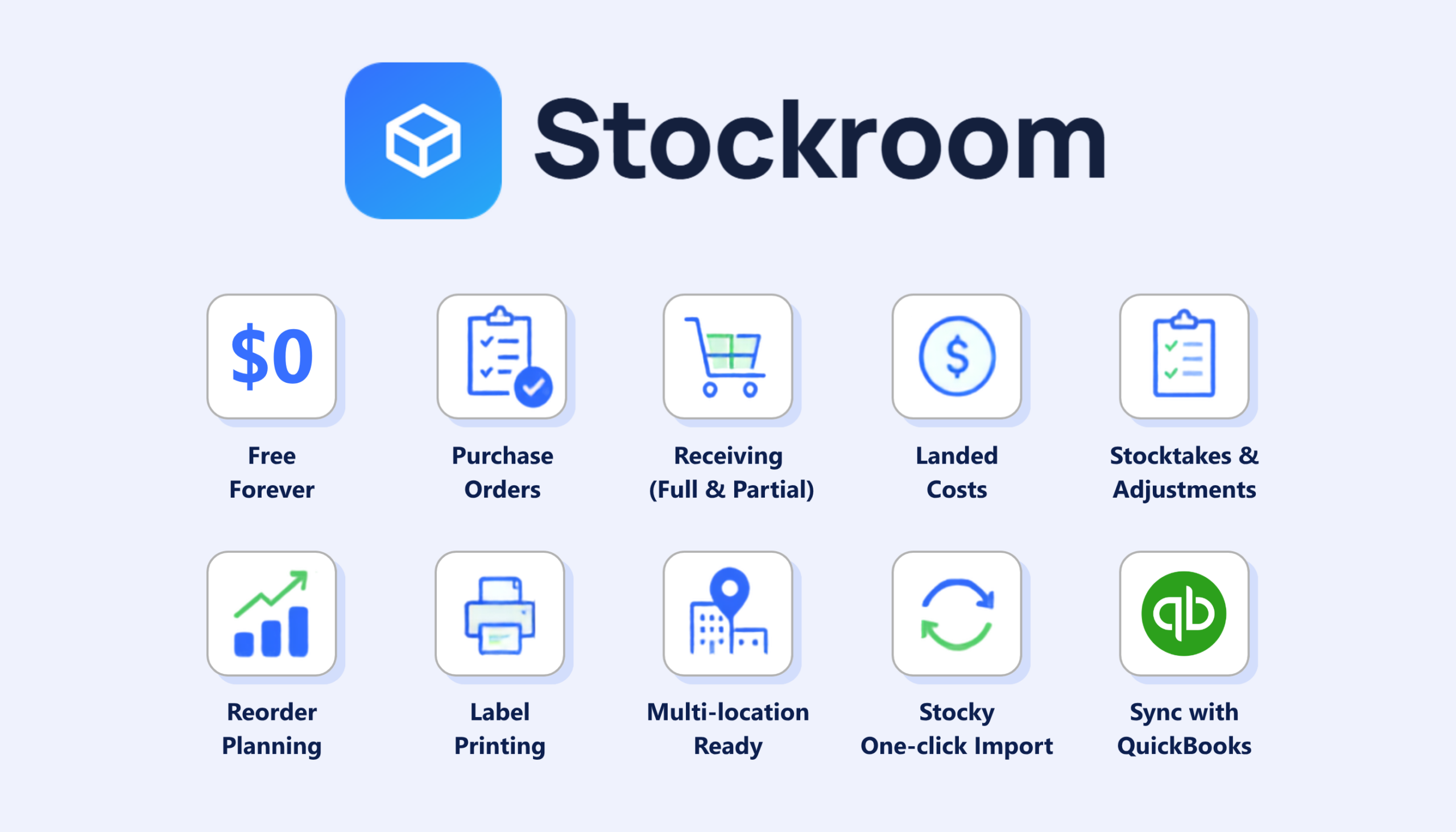
We made it completely free for everyone, and it comes with a one-click migration from Stocky. We think Shopify merchants deserve a powerful, stable, and long-term way to handle Purchase Orders in a way that fits their business.
Stockroom covers the full restocking process: creating purchase orders, receiving partial or complete deliveries, allocating landed costs, running inventory counts, planning reorders, printing labels, and working across locations.
It also works as a standalone inventory and purchasing system. Merchants who want purchasing activity reflected in their accounting can optionally use MyWorks to send purchase orders and related activity to QuickBooks.
Shopify Native Inventory vs. Stockroom
Shopify’s native tools and Stockroom can both support the move away from Stocky. The difference is how much of the purchasing and inventory workflow your store needs in one place.
| Workflow | Shopify Native Inventory | Stockroom |
| Best suited to | Stores with relatively straightforward purchasing and inventory workflows | Stores that need a more complete purchasing, receiving, counting, and reordering process |
| Purchase orders | Create and manage POs in Shopify Admin | Unlimited purchase orders and supplier records, including emailed PDF purchase orders |
| Receiving | Receive stock through linked inventory transfers | Receive orders in full or in part, record discrepancies, and process supplier returns |
| Inventory costs | Record line costs and PO adjustments; advanced landed-cost allocation requires another workflow or app | Allocate freight, duty, and fees to received products |
| Stock counts | Quick Count in Shopify POS; full-location stocktakes may require a CSV-based process | Team stocktakes, blind counts, cycle counts, and adjustments with an audit trail |
| Reordering | Inventory reports, low-stock alerts, and Sidekick-assisted suggestions | Reorder planning using sales history, supplier information, and stock levels |
| Supplier details | Native supplier records, with metafields needed for some supplier-specific information | Supplier records, lead times, pack sizes, minimum quantities, and buying information within the purchasing workflow |
| Label printing | Shopify’s Retail Barcode Labels app, separate from the PO receiving screen | Barcode and price-label printing for Dymo, Zebra, Rollo, and Avery |
| Stocky history | Historic POs and stocktakes cannot be recreated in Shopify | Direct Stocky import while Stocky is available, with CSV import available for records exported beforehand |
| Accounting | Reports, exports, or a separate integration | Optional connection to QuickBooks Online or Desktop through MyWorks |
Move Your Stocky History to Stockroom While the Direct Import is Available
For merchants moving from Stocky, the migration process matters as much as the features. That is why we built a direct Stocky import into Stockroom. Before August 31, it can bring across:
- Supplier records.
- Purchase-order history and original PO statuses.
- Full and partial receiving history.
- Stock adjustments and completed stocktakes.
The import runs in the background and does not change your live Shopify inventory quantities. You can continue using your store while the records are being brought across.
Stocky notes do not transfer because they are not available through the API. Minimum and maximum stock levels also need to be saved separately, after which they can be added to Stockroom as reorder points and maximum levels.
Once Stocky’s discontinued and it’s APIs stop working, the direct import will no longer be available. Stockroom can still import purchase-order and supplier data from CSV files, provided you exported those records first.
A sensible migration process is:
- Export the Stocky records you want to keep.
- Install Stockroom and run the direct Stocky import before August 31.
- Spot-check a familiar supplier, including its POs, statuses, and receiving dates.
- Review reorder points, minimum quantities, and pack sizes.
- Finish receiving open orders in one system to avoid updating inventory twice.
- Test the new workflow with the team members who create, receive, and reconcile purchase orders.
The complete Stocky migration guide explains each step in more detail.
If you currently sync Stocky purchase orders with QuickBooks, you will also need to update that connection before the Stocky API shuts down. MyWorks’ Stocky transition guide explains how to move the purchasing workflow to Stockroom and continue syncing purchase orders and bills to QuickBooks.
Stockroom is Built for Shopify and Shaped by Stocky Users
Stockroom launched on July 3, 2026, and has already earned the Built for Shopify designation, which means it meets Shopify’s standards for performance, design, and integration.
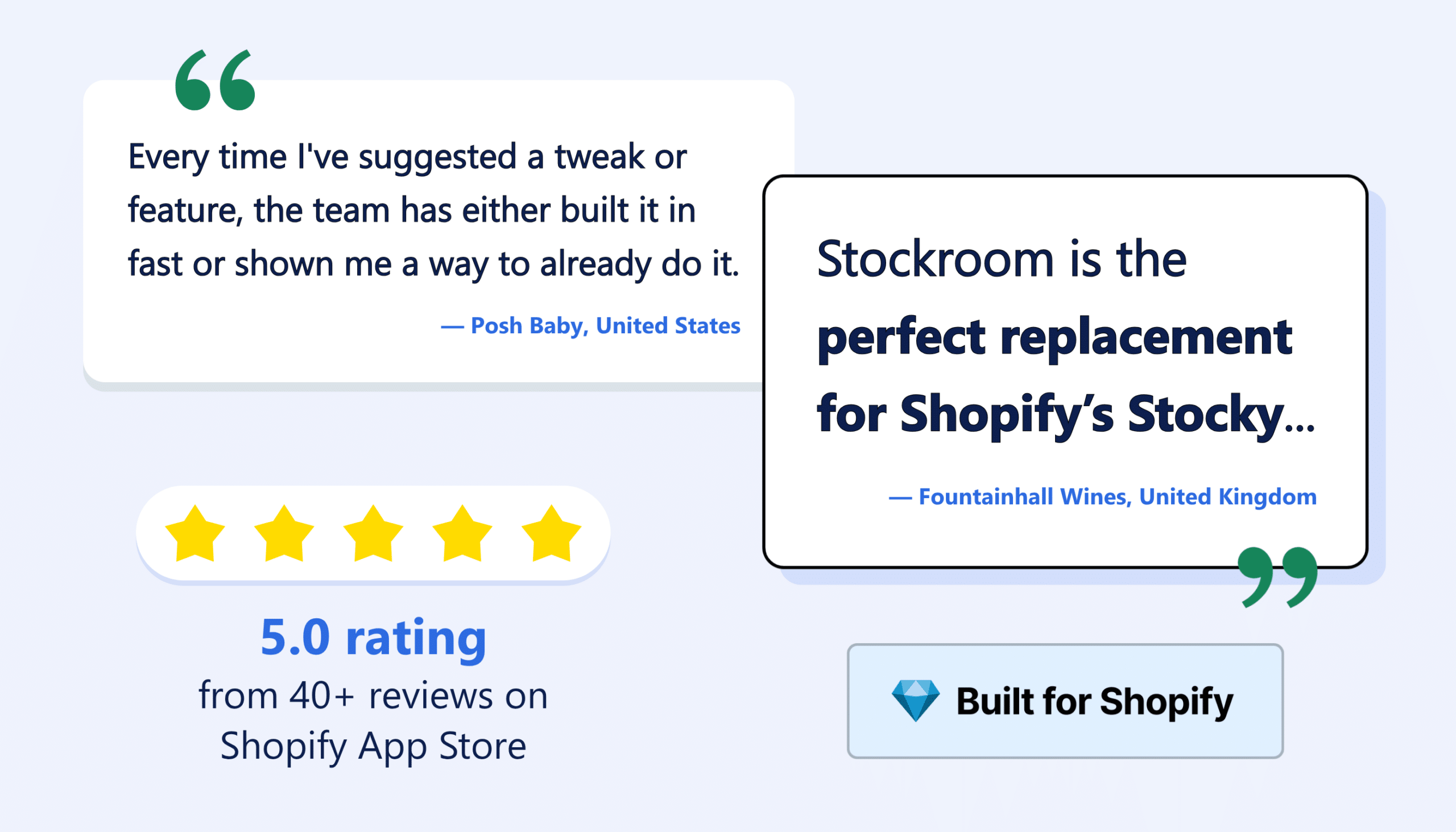
It has earned a 5.0 rating from 40+ reviews on the Shopify App Store. Several of those reviews come from merchants who originally tried Shopify’s native tools or other Stocky replacements.
“Stockroom is the perfect replacement for Shopify’s Stocky. I initially thought Shopify’s own purchase order system would do the job, but it just isn’t up to scratch.”
— Fountainhall Wines, United Kingdom
That early feedback is also helping shape the product. Stockroom has been developed around the workflows merchants say they are losing, rather than treating the Stocky shutdown as a reason to push every store into a more complicated inventory system.
“Every time I’ve suggested a tweak or feature, the team has either built it in fast or shown me a way to already do it”
— Posh Baby, United States
Choose the Workflow That Fits Your Store
Shopify’s native tools may be the right answer if they cover the routines your team needs. Test them with a real purchase order, a partial delivery, an inventory count, and a reorder decision before committing to the new workflow.
If those tests reveal problems, Stockroom offers a more comprehensive Stocky alternative for purchasing, receiving, counting, costing, and reordering.
Whichever system you choose, protect your Stocky records first. Export the history you need and complete any direct migration before the Stocky APIs stop working on August 31.
Install Stockroom from the Shopify App Store and run the Stocky import while it is still available.
FAQs About Stocky Being Discontinued and Using Stockroom as an Alternative
Is Stocky shutting down?
Yes, Stocky was removed from the Shopify App Store on February 2, 2026 and will stop working on August 31, 2026. Shopify says merchants will retain read-only access to export their data for at least 90 days after the shutdown. However, you should complete any direct migration or integration work before August 31.
What Stocky data will not automatically transfer to Shopify?
Historic purchase orders, stocktakes, and supplier records do not automatically transfer. Shopify cannot recreate previous POs with their original statuses, received quantities, or supplier links. Merchants should also preserve historical costs, buying notes, and any minimum or maximum stock levels they want to reuse.
How Do I Migrate From Stocky to Stockroom?
You can migrate from Stocky to Stockroom by running a direct import of supplier records, purchase orders, receiving history, adjustments, and completed stocktakes while Stocky remains available.
Is Stockroom a Stocky Alternative?
Yes. Stockroom is a Shopify purchasing and inventory app for merchants who need purchase orders, partial receiving, landed-cost tracking, inventory counts, reordering, labels, reporting, and multi-location workflows. It also provides a direct migration path for Stocky users before Stocky’s APIs are retired.
Can I Migrate From Stocky to Stockroom After August 31?
Yes, you can migrate from Stocky to Stockroom after August 31. But the direct Stocky import requires Stocky’s APIs and will stop working after August 31. If you exported your records in advance, Stockroom can still use CSV files to import purchase order and supplier data. Without an export, you can start a new Stockroom workflow using your existing Shopify products, inventory, and sales history, but your previous Stocky records will not be available.
Is Stockroom Free?
Yes, Stockroom is free, as listed on the Shopify App Store, with no purchase-order caps. It works independently of MyWorks. Accounting sync through MyWorks is optional for merchants who want to connect purchasing activity with QuickBooks Online or QuickBooks Desktop.