




Amaka handles the basics of WooCommerce–Xero syncing well enough. Until it doesn’t. Maybe your daily summary left you scrambling to track down a missing order. Maybe you hit the limits of what you can do with multi-currency sales. Or maybe you’ve outgrown 60 free orders a month and need something deeper.
Whatever brought you here, this guide breaks down the five strongest Amaka alternatives for WooCommerce–Xero integration: what each does well, where it falls short, and which one gives you the most control over how your ecommerce data flows into Xero.
Why WooCommerce Merchants Look for Amaka Alternatives
Amaka has built a solid reputation in the Xero ecosystem. It offers a free plan for smaller stores, and its support team consistently earns strong reviews. For WooCommerce merchants with straightforward needs, it gets the job done.
But as order volumes climb and accounting workflows get more complex, certain limitations start to surface:
- Daily-only sync. Amaka syncs once per day with no real-time or hourly option. For stores processing hundreds of orders, your Xero data is always at least 24 hours behind.
- Multi-currency requires clearing account workarounds. Amaka supports foreign currency through auto-generated clearing accounts rather than native per-gateway currency mapping, which can complicate reconciliation for merchants with significant international sales.
- Limited sync flexibility. While Amaka does offer both summary and per-invoice sync modes, there’s no option to fine-tune sync behaviour based on your business needs.
- One-way data flow. Data moves from WooCommerce to Xero, but not back. Inventory and pricing updates in Xero won’t reflect in your store.
TL;DR: Top Amaka Alternatives for WooCommerce–Xero Integration
| MyWorks | Link My Books | Zapier | Synder | Parex Bridge | |
| Best For | WooCommerce stores needing deep, real-time Xero sync | Multi-channel sellers with no WooCommerce or Shopify store (Amazon, eBay, Etsy ) | Simple, low-volume automation | Multi-channel sellers needing advanced reporting | Budget-conscious small stores |
| Sync Frequency | Every 5–60 min (configurable) | Per payout | Per trigger | Hourly+ | Daily/automatic |
| Sync Types | Invoices or quotes, summaries coming soon | Payout summaries | Custom (manual config) | Per-transaction or summary | Individual invoices or daily summary |
| Two-Way Sync | Yes | No | No | No | No |
| Multi-Currency (Xero) | Yes (native per-gateway) | Yes | Manual | Yes | Yes |
| COGS Tracking | Coming soon | Yes | No | Yes | No |
| Native WooCommerce Plugin | Yes | No (external) | No (external) | No (external) | Yes (WordPress plugin) |
| Pricing From | Free forever / $19/mo | From $20/mo for 5 monthly orders | Free limited/ $19.99/mo | $65/mo | $10/mo |
| Free Plan or Trial | Forever-free plan | 14-day trial | Free (100 tasks) | 15-day trial | 7-day trial |
1. MyWorks: Best Overall WooCommerce–Xero Integration
Best for: WooCommerce stores that need real-time, flexible Xero syncing with full control over how orders, payments, and data are mapped.
MyWorks is a purpose-built integration that lives directly inside your WooCommerce admin dashboard. It connects WooCommerce and Xero with real-time, two-way syncing and gives you full control over how your ecommerce data appears in your books.
For example, a wholesale store selling with net 30 terms can sync orders as unpaid invoices in Xero, while a retail store can sync paid orders as invoices with payments automatically applied. Payment methods map to specific Xero bank accounts (or clearing accounts), so reconciliation stays clean.
MyWorks Pros
- Real-time two-way sync (as fast as every 5 minutes).
- Sync orders as invoices or quotes, with control over invoice status (draft, submitted, authorised) and mapping by payment method.
- Custom field mapping for PO numbers, tracking numbers, tracking categories, delivery dates, and more.
- Holding account workflow for clean bank reconciliation, with transaction fees optionally synced as negative line items.
- Multi-currency support with per-gateway bank account mapping.
- Compatible with 20+ WooCommerce extensions, including Subscriptions, Bundles, Avalara, and TaxJar.
- Historical data push/pull to maintain continuity when switching tools.
MyWorks Cons
- Direct integration with Xero only with WooCommerce and soon, Shopify
- Marketplace channels like Amazon or eBay require a separate tool to connect to WooCommerce or Shopify. However, these tools are usually free or very low cost. Once extra sales channels are connected to Woo or Shopify, MyWorks can sync sales data to Xero from all channels.
MyWorks Pricing
Forever-free plan available. Paid plans from $19/month, scaling by order volume. Most features are included at every tier. View pricing.
MyWorks Customer Reviews
“MyWorks connects our e-commerce products (with thousands of variations) with our accounting software, ensuring all products are visible across both platforms. This ensures consistency in products, but most importantly, pricing. I now only need to update pricing in Xero, and it will update in WooCommerce! This is going to save me hours of work, now that it’s set up.”
– Verified User, G2
2. Link My Books: Best for Multi-Channel Sellers
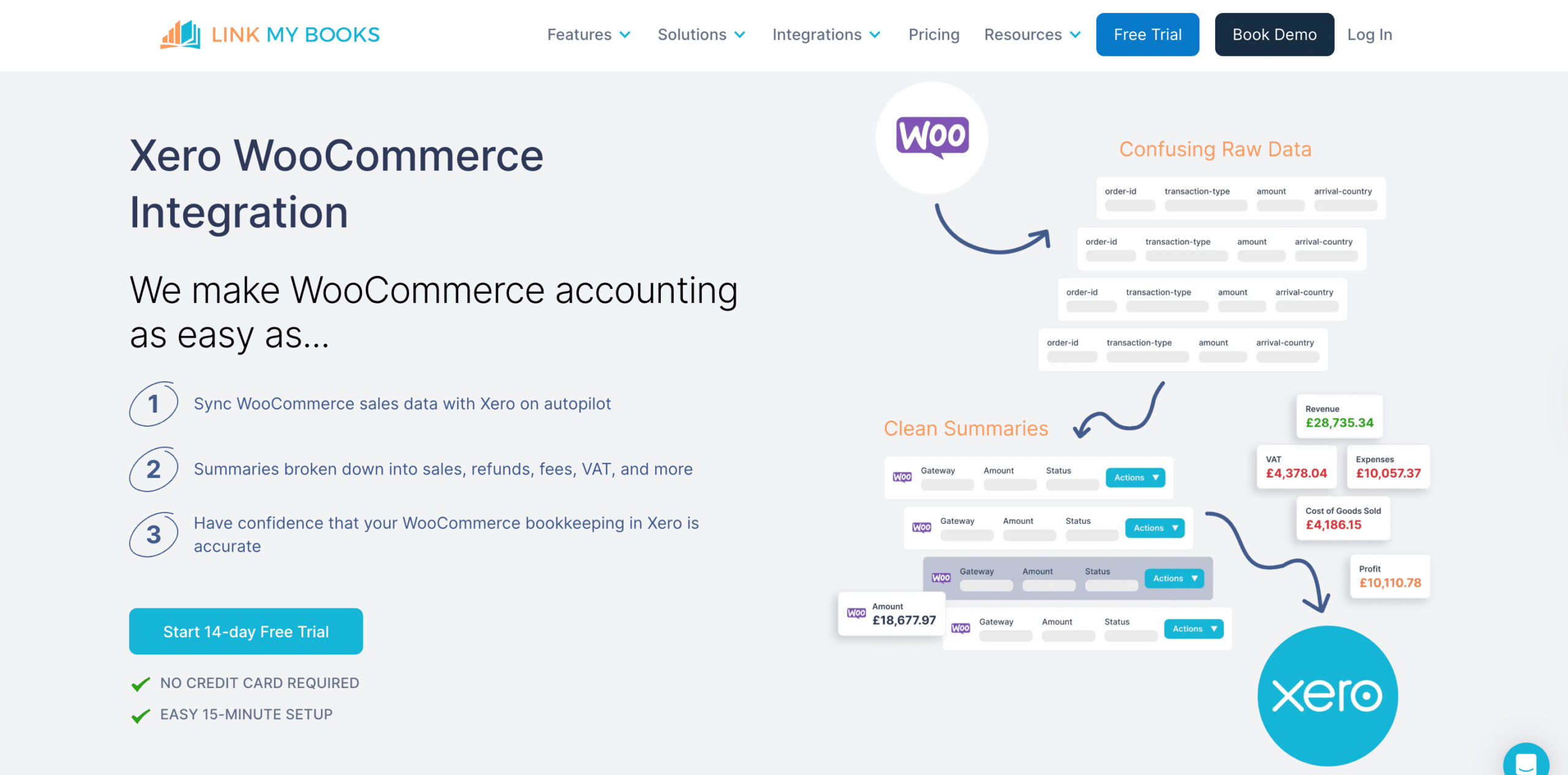
Best for: multi-channel sellers (Amazon, eBay, Etsy, etc.) without a WooCommerce store who want payout-based summaries in Xero that match bank deposits
Link My Books started as an Amazon and eBay bookkeeping tool and now supports several other channels like Etsy. Instead of syncing individual orders, it takes a payout-based approach. Each time a payment gateway deposits funds, Link My Books generates a clean summary invoice in Xero, breaking down sales, refunds, fees, and tax to match your bank deposits.
Link My Books Pros
- Payout-based reconciliation that matches bank deposits.
- COGS tracking and multi-currency support.
- Built-in financial analytics with industry benchmarking.
- Broad multi-channel coverage (Amazon, eBay, Etsy, TikTok Shop, Walmart, Square).
Link My Books Cons
- Summary-focused with no individual order sync or two-way data flow.
- WooCommerce support is relatively newer compared to their marketplace integrations.
- Operates as an external platform, not inside your WooCommerce dashboard.
Link My Books Pricing
From $20/month for 5 monthly orders, scaling up through tiers to handle higher volumes, e.g. $149 per month for 20,000 orders from one sales channel. Pricing is based on total monthly orders across all connected channels.
Link My Books Reviews
“Very easy to use and saves a huge amount of time reconciling Amazon settlements. It automatically separates sales, fees, VAT and refunds and sends everything neatly into my accounting software.”
– Verified User, Capterra
3. Zapier: Best for Simple, Non-Accounting Automation

Best for: very small stores with simple needs that already use Zapier and want a basic order-to-Xero push.
Zapier connects thousands of apps through trigger-action workflows. A typical setup: “New WooCommerce order → create Xero invoice.” It’s a general-purpose automation platform, not an ecommerce accounting tool.
Zapier Pros
- Highly flexible with thousands of app integrations.
- Pre-built workflow templates for common setups.
- Free plan available.
- Useful if you already use Zapier for other business workflows.
Zapier Cons
- No built-in understanding of COGS, tax rules, payment fees, batched deposits, or reconciliation logic.
- Every field mapping is manual.
- Refunds, partial payments, and multi-currency edge cases require custom configuration that breaks easily.
- Each order burns at least one task, so costs climb with volume.
- Silent failures create data gaps you won’t notice until reconciliation.
Zapier Pricing
Free plan for 100 tasks per month. The Starter plan is $19.99 per month, and the Professional plan is $49/month.
Zapier Customer Reviews
Zapier reviews focus on general automation rather than ecommerce accounting. Users praise flexibility, but those using it for WooCommerce-Xero workflows frequently note that maintaining complex accounting Zaps requires ongoing technical attention.
4. Synder: Best for Advanced Reporting
Best for: multi-channel businesses selling across many platforms that need advanced reporting and have the budget.
Synder connects 30+ sales channels and payment processors individually to QuickBooks, Xero, and other accounting platforms. For WooCommerce, Synder connects through your payment gateways (Stripe, PayPal) rather than directly from WooCommerce.
Synder Pros
- 30+ platform integrations.
- Both per-transaction and summary sync modes.
- Smart Rules for automated transaction categorization (at an extra cost)
- Multi-currency support and AI-driven dashboards.
Synder Cons
- Starts at more than three times what other tools, like MyWorks, charge.
- Key features like individual customer syncing, unpaid orders, and product mapping, are locked in higher plans ($115/month)
- Gateway-based WooCommerce integration adds complexity.
- Synder’s reporting features are largely already covered within WooCommerce and Xero at no extra cost
Synder Pricing
Basic: $65/month for up to 500 transactions. Essential: from $115/month for 500-3,000 transactions. Pro: from $275/month.
Synder Customer Reviews
“Synder has saved me hours every month and has allowed me to offer my clients the most accurate books while they work in various currencies.”
-Verified User, Capterra
5. Parex Bridge: Best Budget Option
Best for: budget-conscious stores with straightforward accounting needs that want a simple sync without advanced features.
Parex Bridge is a WordPress plugin that syncs WooCommerce orders to Xero as individual invoices or daily summaries. At $10/month for 100 orders, it’s the cheapest option on this list.
Parex Bridge Pros
- Lowest cost ($10/month).
- Both individual order and daily summary sync.
- Installs directly in WordPress.
- Payment method mapping to different Xero bank accounts.
Parex Bridge Cons
- No two-way sync, no custom field mapping, no COGS tracking.
- No compatibility with WooCommerce extensions like Subscriptions or Bundles.
- Historical backsync is limited to 2 months.
- Limited support
Parex Bridge Pricing
Silver: $10 per month for 100 orders. Gold: $20 per month for 800 orders. Platinum: $30 per month for 2,500 orders.
Parex Bridge Customer Reviews
“This is such a great app that does exactly what it needs to do, syncing our WooCommerce data into Xero.”
– Verified User, WordPress.org
How to Choose the Right WooCommerce–Xero Integration
The tools above cover a wide range of budgets and business models. But not every WooCommerce–Xero integration handles ecommerce data the same way. Before committing, evaluate these criteria:
Sync Reliability and Frequency
Once-per-day syncing works at very low volume. With hundreds of orders per day, you need near-real-time data and clear error logging so nothing slips through unnoticed.
Handling of Refunds, Taxes, and Fees
Each sale involves processing fees, potential refunds, multi-jurisdictional tax, and gateway-specific deposit timing. The right tool accounts for all of this automatically.
Configuration Flexibility
Can you control how orders appear in Xero? Wholesale accounts need invoices with payment terms. Retail stores need paid invoices with payments automatically applied. The right tool should adapt to your accounting workflow, not force you into a single format.
h3Pricing at Your Actual Volume
Map out your monthly orders and calculate the real cost at scale, not just the starting price on the website.
Why Many Merchants Switch from Amaka to MyWorks
The shift typically comes down to three things: speed, control, and reconciliation.
On the speed side, MyWorks syncs as frequently as every 5 minutes and logs every event in your WooCommerce dashboard. You always know exactly what synced, when, and whether anything needs attention.
On the control side, you decide how data appears in Xero: invoices or quotes, with flexible mapping by payment method and WooCommerce order status. Each payment gateway maps to its own Xero bank account with per-gateway control over invoice status (draft, submitted, approved), due dates, and transaction fee handling. Fees, taxes, and shipping line items land exactly where your accountant expects them.
And on reconciliation, MyWorks supports a holding account workflow where payments sync to a clearing account alongside transaction fees as negative line items. When your bank deposit lands, it matches the net amount in your clearing account, so you can transfer funds in Xero’s banking feed without manual journal entries.
Migrating is straightforward. Install the plugin, connect to Xero in one click, map your data, and you’re syncing. Paid plans include a complimentary setup call, and most merchants are running within an hour.
Book a free demo to see how MyWorks handles your specific WooCommerce–Xero workflow, or get started with a free plan today.
FAQs: MyWorks vs. Amaka
1. What is the Best WooCommerce–Xero Integration?
MyWorks is the strongest option for most merchants. It offers real-time syncing (as fast as every 5 minutes), native in-platform experience, flexible order syncing as invoices or quotes, and custom field mapping including tracking categories, all managed inside your WooCommerce dashboard. It also supports 20+ WooCommerce extensions.
2. Is There a Free Amaka Alternative for WooCommerce?
MyWorks offers a forever-free plan with full WooCommerce–Xero functionality. A few other options offer free entry points: Parex Bridge starts at $10/month with a 7-day trial and Zapier has a free tier (100 tasks/month), though it’s not built for ecommerce accounting.
3. Which Amaka Alternatives Support Two-Way Sync with Xero?
MyWorks supports two-way sync for inventory, so stock level changes in Xero automatically flow back to WooCommerce. Orders, customers, and payments sync from WooCommerce to Xero. Other sync tools are one-way only (WooCommerce to Xero only).
4. How Does Amaka Handle Multi-Currency for Xero?
Amaka supports multi-currency through auto-generated clearing accounts for foreign currency payments. MyWorks takes a more direct approach with per-payment-method currency mapping, linking each gateway to a specific Xero bank account matching that currency, which simplifies reconciliation.
5. How Hard is It to Migrate from Amaka to MyWorks?
Migrating from MyWorks to Amaka is easy: MyWorks installs as a WooCommerce plugin and connects to Xero in one click. Most merchants are fully up and running within an hour, and paid plans include a complimentary setup call if you want personalized hands-on help with your set up.